5 Jira Reporting Features You Actually Need For Real Project Insights
Jira has plenty of reports, but only a handful really matter for keeping projects on track, billable hours accurate, and stakeholders calm. Here are the reporting features you should focus on, plus how Timesheet Tracking for Jira fills the gaps.
Timesheet Tracking for Jira

You don't need more reports. You need reports that tell you if the sprint is healthy, where time is going, and whether you can bill what you planned. Jira gives you a base set of charts; the rest comes from using the right time tracking and reporting tools on top.
Below are the reporting features that actually move the needle, and how Timesheet Tracking for Jira plugs the holes.
1. Time-based reports that go beyond issue counts
Velocity charts and burndowns are nice, but they don't answer the question "What did we spend our time on last month?" You need reports that aggregate worklogs by user, project, and issue type, and separate billable from non-billable.
With Timesheet Tracking for Jira, the Timesheets view lets you slice worklogs by:
- Project and component
- Account or client
- Billable vs internal time
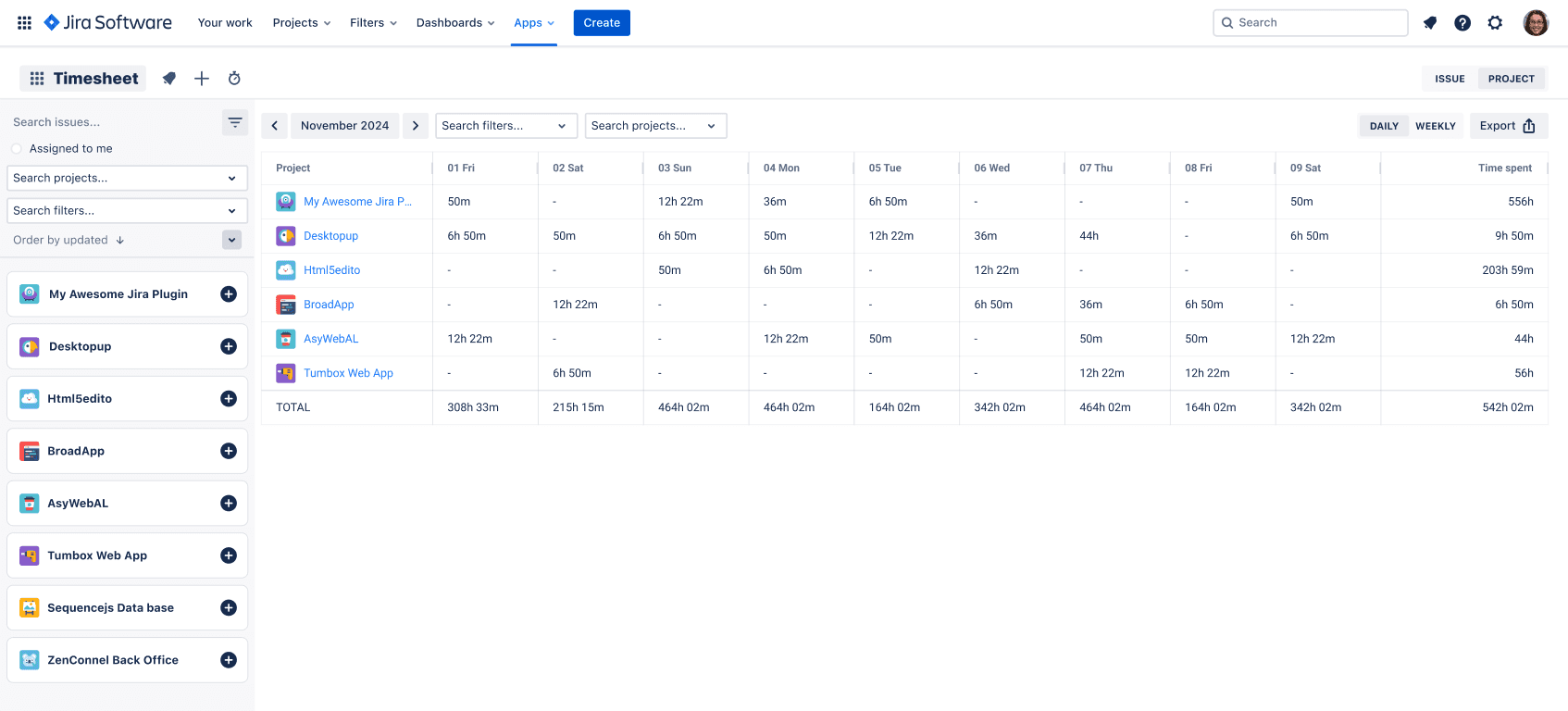
That means you can answer questions like "How much time did QA spend on Project X in Q2?" in seconds, not by exporting to Excel.
2. Worklog accuracy through auto-timers
Fancy reports are useless if your team forgets to log time or guesses at the end of the day. An auto-timer tied to Jira issues quietly fixes that.
Timesheet Tracking for Jira adds a Timer that starts and stops as you move between tasks in Jira. You get granular worklogs with almost no manual effort.
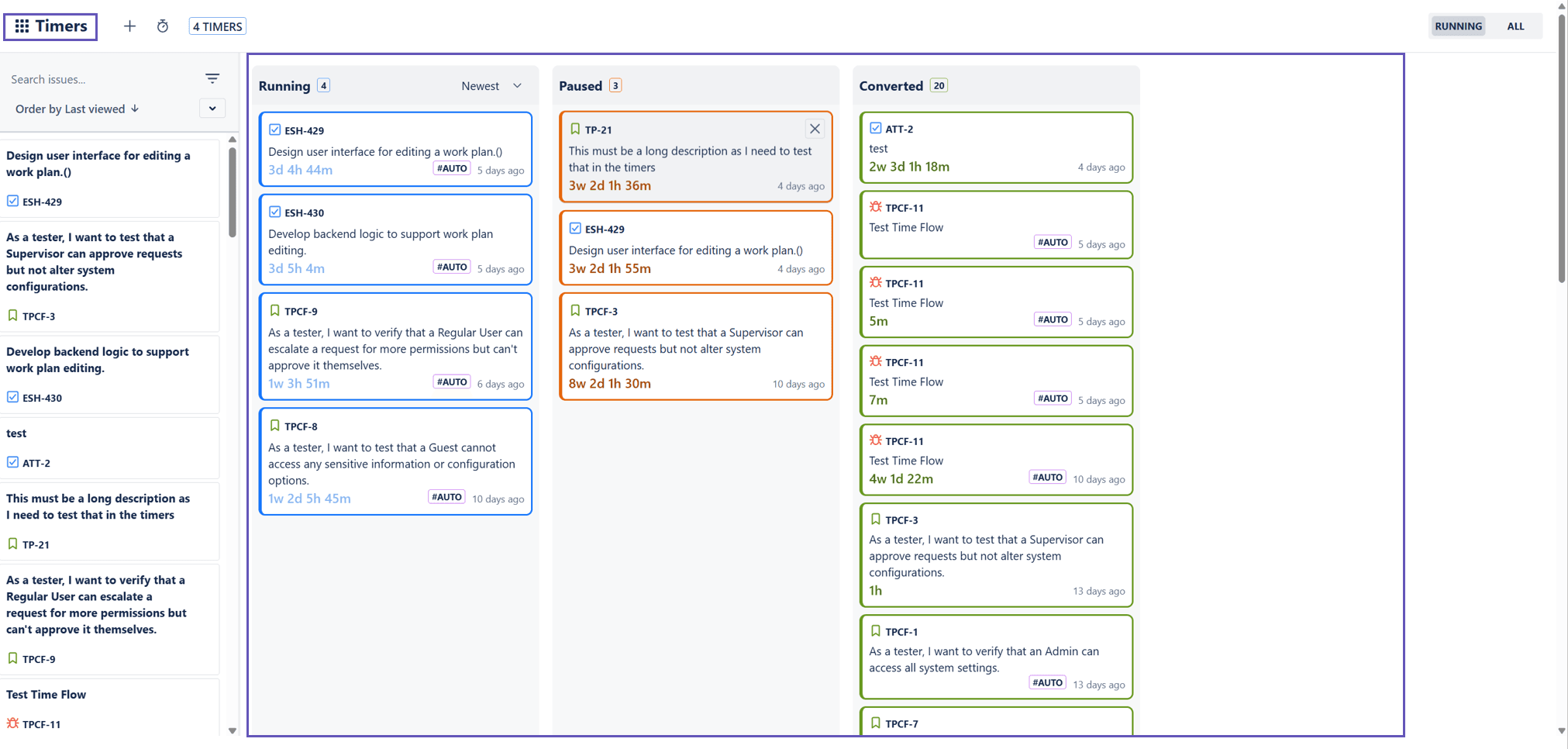
The result: your reports reflect actual effort, not rough estimates, which is critical for accurate billing and capacity planning.
3. Calendar-based reporting for capacity and planning
Most reports tell you what happened. Capacity planning needs a view of what's planned versus what actually happened.
The Calendar feature in Timesheet Tracking for Jira gives you:
- A combined view of Google/Outlook events, planned work, and logged work
- Fast conversion of meetings and events into worklogs
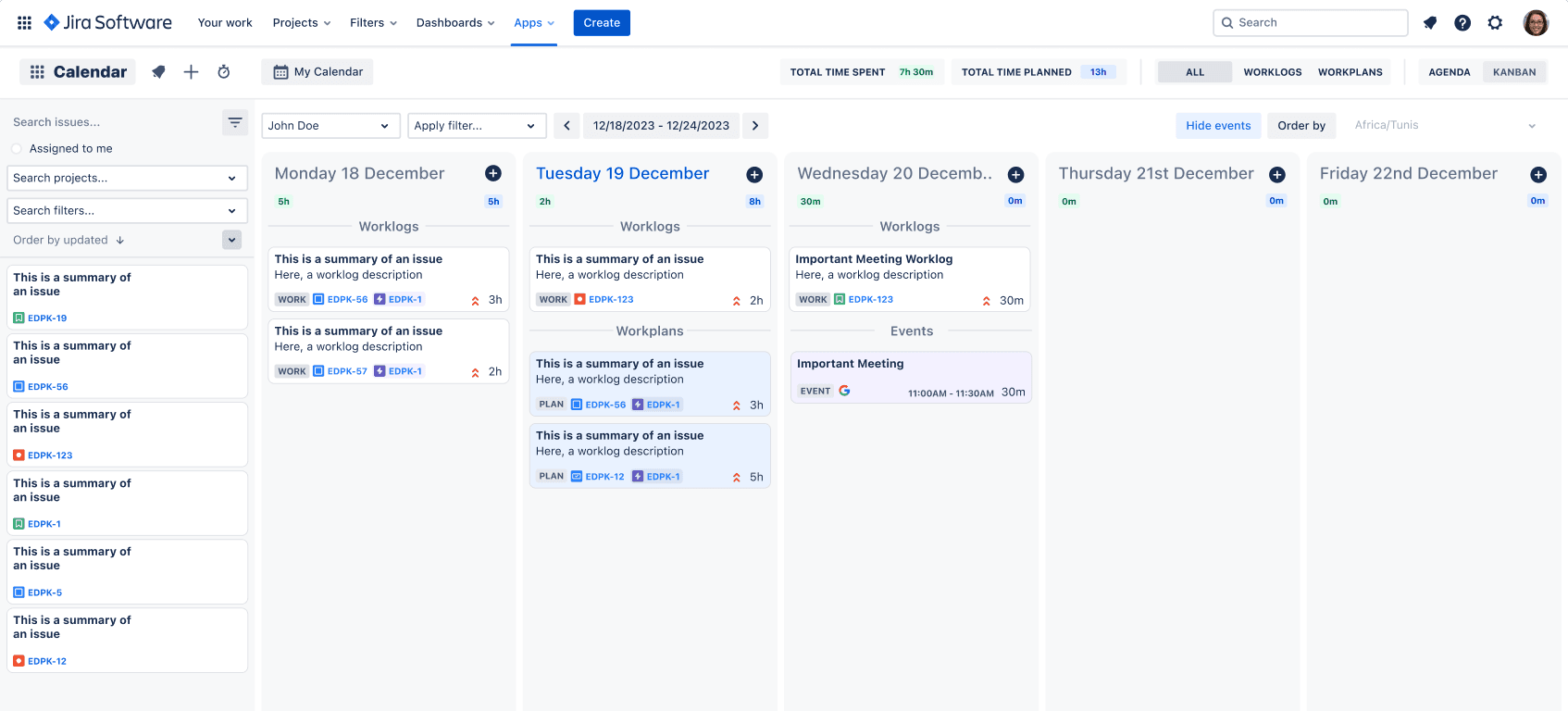
This turns your calendar into a lightweight capacity report that answers "Who can take one more issue this week?" without a separate resource tool.
4. Custom work attributes in reports
Standard Jira worklogs only give you time, user, and issue. For real project insights, you often need attributes like phase, location, activity type, or cost center.
Timesheet Tracking's Work Attributes let you attach these fields to every worklog, then filter and group on them in Reports. That makes it viable to:
- Report effort per project phase for fixed-price contracts
- Split time by onshore/offshore or team
- Analyze support vs feature work
5. Reporting that non-Jira stakeholders can understand
C-level stakeholders don't want Jira filters, they want clean summaries. With Timesheet Tracking for Jira you can:
- Export timesheets and reports for finance and clients
- Use clear groupings (project → epic → issue, or client → project)
- Configure who sees what, so reports stay relevant
If you pair Jira's native agile charts with these time and cost-focused reports, you get a view of your projects that's both deliverable-centric and financially accurate.
For pricing and trial details, check the Timesheet Tracking for Jira pricing page. You can try the full reporting stack free for 30 days and see which reports your team actually uses.
Ready to track time in Jira?
Start your free 30-day trial of Timesheet Tracking on the Atlassian Marketplace.