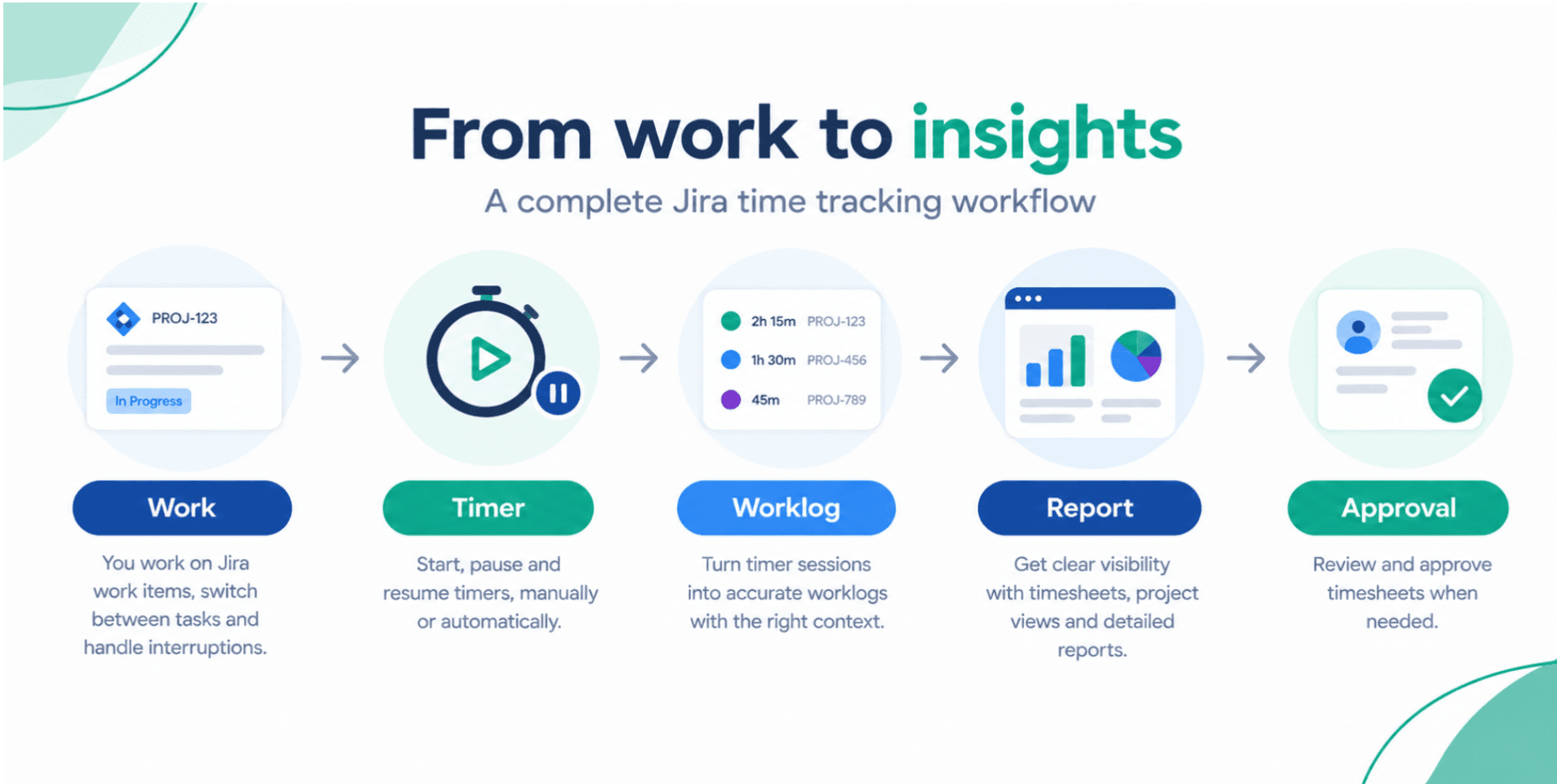
Time Tracking for Remote Agile Teams: Aligning Work, Time, and Outcomes
Remote agile teams can deliver quickly—or drift into misalignment and burnout. Learn how integrated time tracking in Jira provides the transparency, workload balance, and performance insight distributed teams need.
Timesheet Tracking for Jira

Key Takeaways
- 58% of knowledge workers can work remotely at least part-time (McKinsey), making digital visibility and time tracking essential.
- Distributed agile teams with clear metrics and transparent workloads can improve productivity by up to 30%.
- Without structured time tracking, remote teams are prone to hidden overtime, uneven workload distribution, and inaccurate sprint planning.
- Jira combined with a native time tracking app gives remote leaders a single, real-time view of progress, utilization, and risk.
Introduction: The Remote Work Visibility Challenge
When everyone sat in the same office, project managers could rely on informal signals—desk visits, overheard conversations, whiteboards. Remote and hybrid work erased those cues.
Now, work lives in digital tools:
- Jira boards instead of physical Kanban
- Confluence pages instead of shared binders
- Loom videos instead of hallway demos
Yet one question often remains unanswered:
> How is our team’s time actually being spent across tasks, projects, and priorities?
Digital time tracking is the missing link that ties remote work activity to effort, capacity, and outcomes.
Improving Collaboration and Accountability in Distributed Teams
Transparency Without Micromanagement
Remote workers want autonomy, not surveillance. Time tracking in Jira can support that when used correctly:
- Time is logged against Jira issues, not as vague "hours online"
- Progress is visible at the team and project level, not as individual scorecards
- Data is used to improve planning and remove blockers, not to police minutes
This gives:
- Teams a clear picture of what others are working on
- Product owners insight into where effort is going each sprint
- Stakeholders confidence that distributed teams are aligned with priorities
Reducing Meeting Load with Asynchronous Visibility
Remote teams often overcompensate with meetings to stay aligned. Integrated time and work tracking allows you to shift to more asynchronous practices:
- Daily updates are reflected in Jira and timesheets
- Leaders can monitor capacity and progress via dashboards
- Loom videos supplement standups instead of replacing time tracking
The result is fewer status calls and more deep work.
Balancing Workloads and Preventing Burnout
In distributed setups, uneven workload and silent burnout are real risks:
- High performers take on more unplanned work
- Time zone differences create hidden overtime
- Support and incident work quietly crowd out project tasks
Time tracking integrated with Jira reveals:
- Who consistently logs overtime
- Which projects generate disproportionate after-hours work
- Where context switching and interruptions are most frequent
This data enables:
- Proactive rebalancing of workload
- Justified hiring or role changes
- Guardrails on after-hours expectations
Supporting Agile Ceremonies and Continuous Improvement
Agile frameworks rely on empirical data to inspect and adapt. Remote setups make that data even more critical.
With time tracking in Jira:
- Sprint planning can use real, historical capacity instead of assumptions
- Reviews and retrospectives can include effort breakdowns by story type or category
- Velocity is enriched with effort metrics, not just completed stories
Over time, remote teams can answer questions like:
- Are we spending too much time on bugs vs. new features?
- Which types of work are hardest to estimate remotely?
- How has meeting load impacted delivery in the last quarter?
Toolchain for Remote Agile: Where Time Tracking Fits
Common tools for remote agile teams include:
- Jira – Backlogs, sprints, Kanban boards
- Confluence – Distributed documentation and knowledge base
- Loom – Asynchronous updates, demos, stakeholder communication
These tools manage what the team is doing and how they coordinate. Time tracking answers how much effort each stream of work truly consumes.
Integration Overview
| Tool | Remote Use Case | Collaboration Benefit | Why a Time Tracker is Needed |
|---|---|---|---|
| Jira | Plan & track work across time zones | Shared view of tasks & priorities | No clear picture of effort & utilization |
| Confluence | Central documentation for distributed teams | Single source of truth for knowledge | Doesn’t show how long tasks actually take |
| Loom | Async standups, demos, & updates | Reduces meeting overload | No connection to time or budget |
| Time Tracker (e.g., Timesheet Tracking for Jira) | Log and analyze effort in context | Aligns time, tasks, and outcomes | Enables capacity planning & burnout prevention |
To manage remote teams effectively, you need all four working together.
The Solution: Timesheet Tracking for Jira for Remote Teams
Timesheet Tracking for Jira is ideal for remote and hybrid teams that run their work in Jira and need transparent, low-friction time tracking.
Because it’s natively integrated into Jira and cloud-based, distributed teams can:
- Start automatic timers on issues they’re working on
- Log time quickly from any location or device
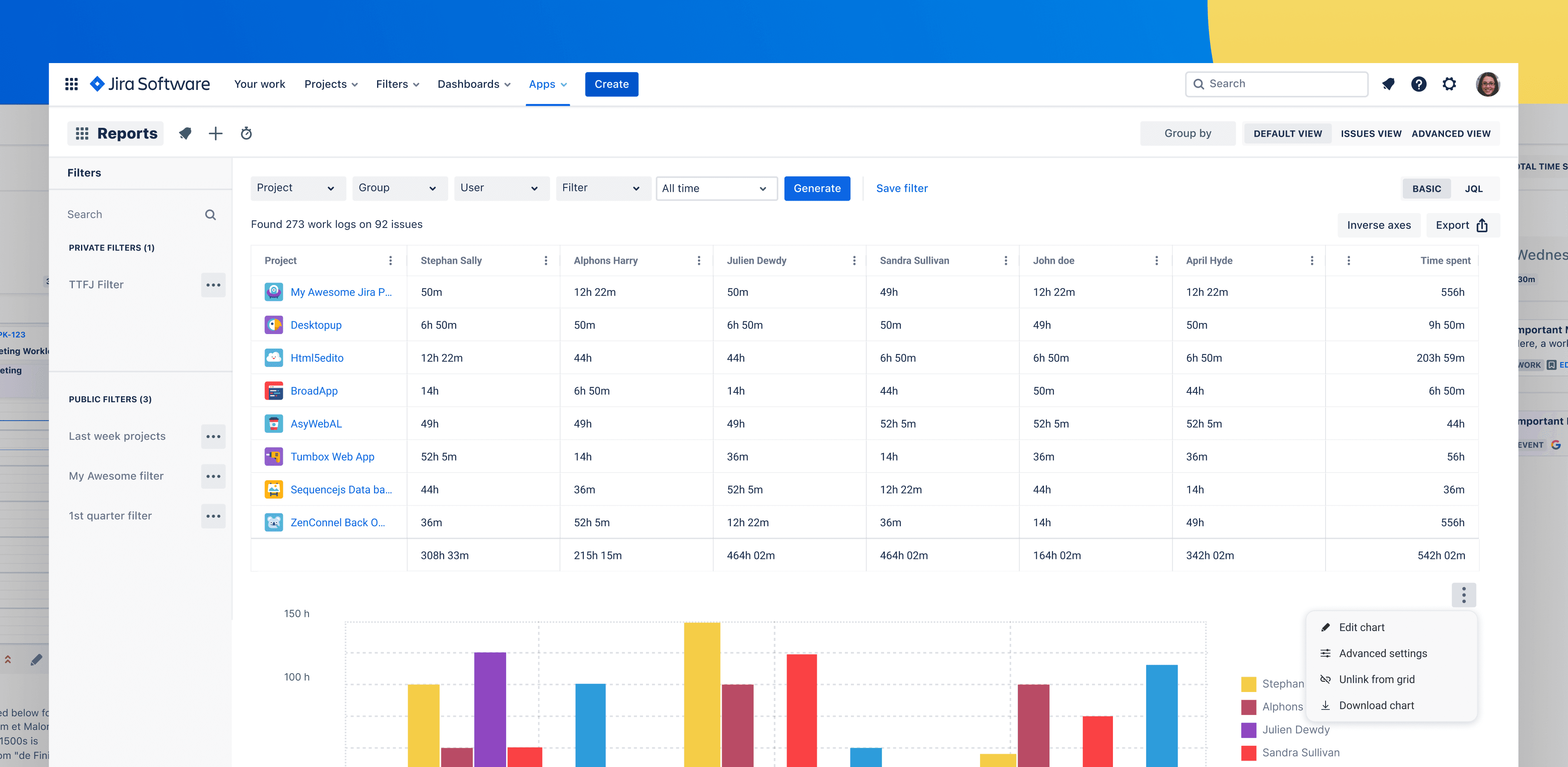
- See personal and team timesheets updated in real time
Features Remote Teams Rely On
- Easy logging in Jira
* No separate tools or spreadsheets
* Worklogs remain tied to the source issue
- Advanced reporting across locations
* Break down effort by region, team, or project
* Understand how different time zones impact throughput
- Planning and capacity views
* Allocate work based on actual availability, not assumptions
* Adjust for vacations, local holidays, and part-time staff
- Real-time tracking
* Monitor active work and project burn from anywhere
* Give leadership confidence without micromanagement
The EULA details how the solution handles data and access for distributed organizations.
FAQ: Time Tracking for Remote Agile Teams
Does time tracking undermine trust in remote teams?
Not when implemented with the right intent and communication. When you position time tracking as a tool for better planning, fair workload distribution, and budget transparency, it supports trust rather than eroding it. The focus should be on team-level patterns, not minute-by-minute individual monitoring.
How does time tracking help with remote sprint planning?
It provides real data on how much focused work each team member can typically complete, considering meetings, incidents, and overhead. This helps you set realistic sprint commitments across time zones and avoid chronic overcommitment.
Can Timesheet Tracking for Jira handle multiple remote teams?
Yes. Timesheet Tracking for Jira supports multiple teams and projects, allowing you to filter and group data by team, board, project, or custom fields. This gives you a portfolio-level view of distributed delivery.
Is it complicated to roll out to a remote workforce?
Because it is embedded in Jira—the system your teams already use—the learning curve is minimal. Start with simple workflows (e.g., logging time on key issues, using automatic timers) and gradually introduce more advanced reporting and planning features.
Remote agile teams succeed when they combine autonomy with transparency. Integrated time tracking in Jira via Timesheet Tracking for Jira delivers that transparency without compromising how modern teams prefer to work.
Ready to track time in Jira?
Start your free 30-day trial of Timesheet Tracking on the Atlassian Marketplace.