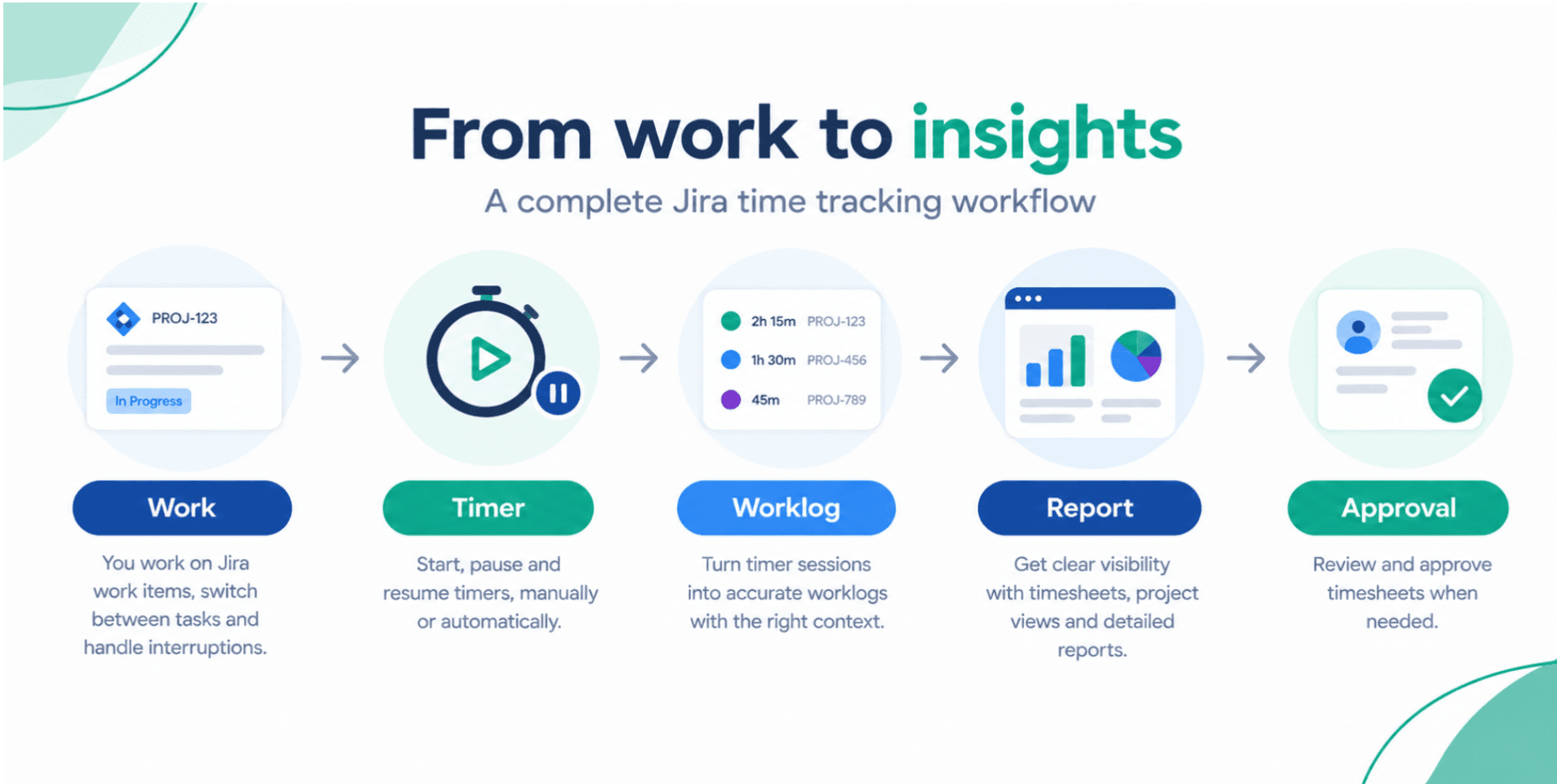
Boost Your Team’s Productivity with Smart Jira Integration Tips
If your team lives in Jira but still chases timesheets in spreadsheets or chat threads, you're leaving productivity on the table. Here are practical Jira integration tips that tighten up time tracking, reporting, and planning so you get cleaner data with less effort.
Timesheet Tracking for Jira

If your team already runs everything through Jira, small integration tweaks can create big gains in team productivity. The trick is to make time tracking, planning, and reporting feel like part of the normal workflow instead of extra admin.
1. Bring time tracking into Jira, not next to it
Context switching kills focus. If people log time in a separate tool or spreadsheet, you’ll get late, inaccurate entries.
Integrating a Jira-native app like Timesheet Tracking for Jira means your team logs work directly on issues they already touch every day. That keeps:
- Worklogs tied to epics, sprints, and components
- Billable vs non‑billable hours consistent
- Reporting one click away, instead of a weekly data export chore
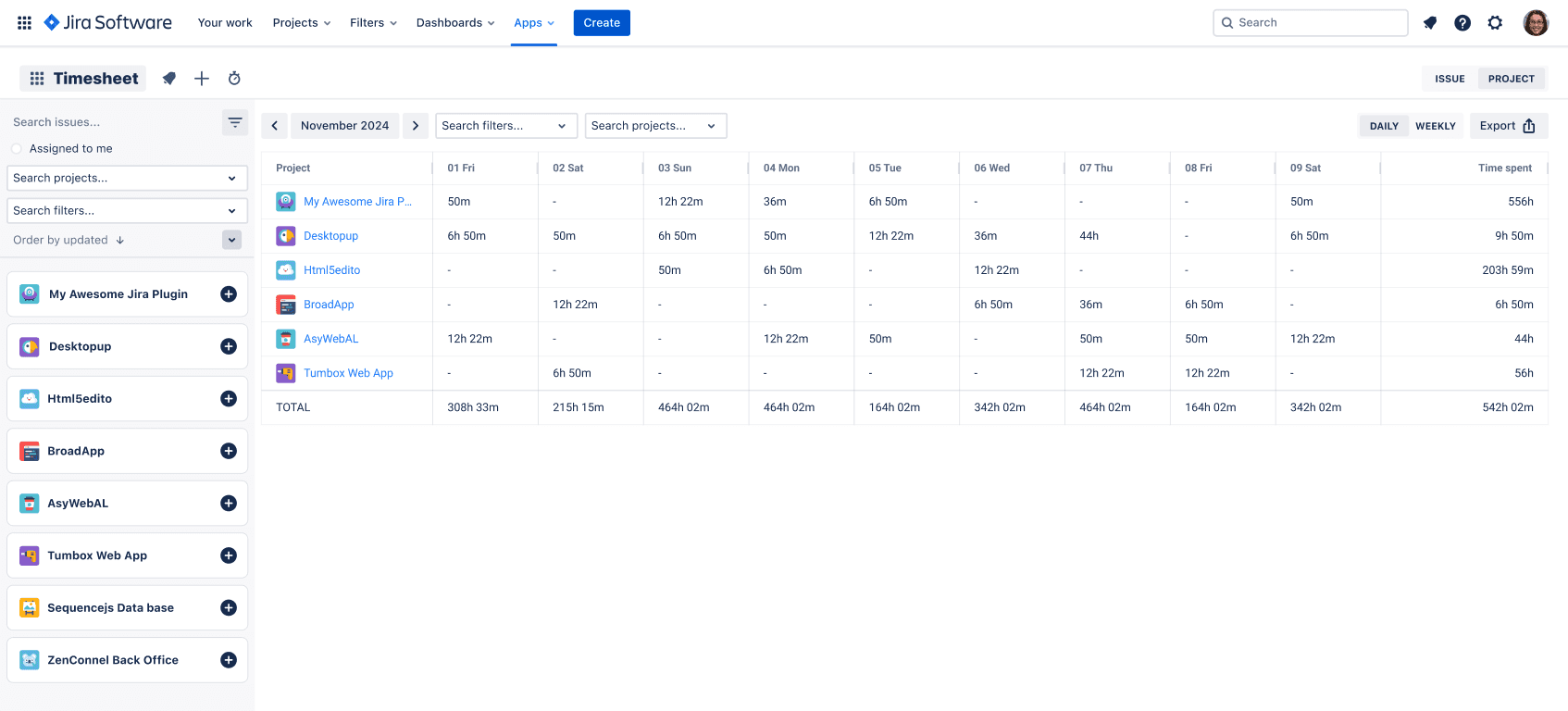
You can see how this looks in the Timesheets feature, where each person gets a clear, Jira-based view of their logged work.
2. Automate the boring parts with timers and work attributes
Manual start/stop tracking rarely survives a busy sprint.
Use the built‑in Timer so time starts tracking when a developer begins work on an issue. The auto‑timer keeps an accurate record even if they forget to touch the worklog fields.
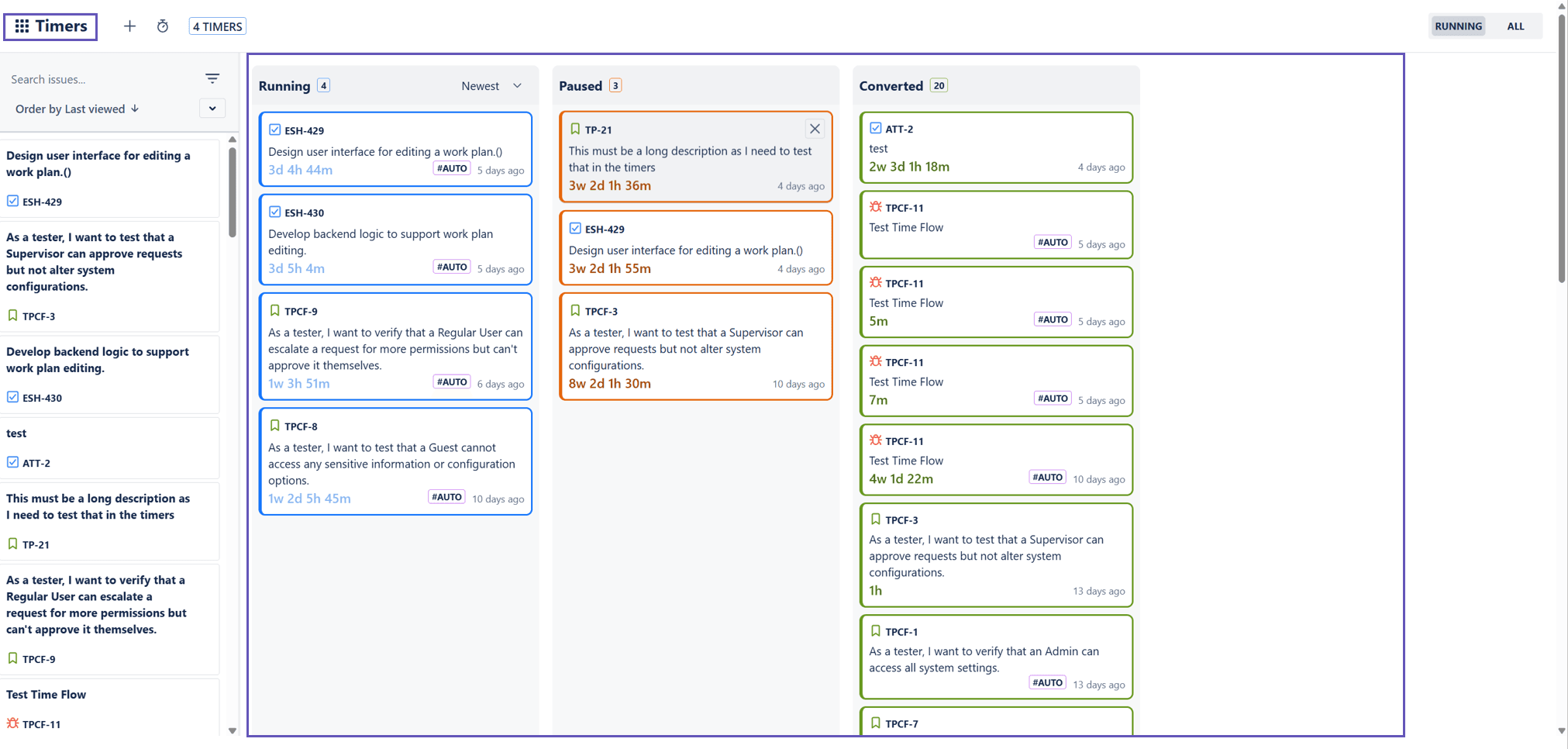
Combine this with Work Attributes to tag time as billable, internal, or tied to a specific client. That single change removes half of the back‑and‑forth with finance at invoicing time.
3. Plan capacity directly from your Jira issues
If planning sits in a separate tool, estimates and reality drift apart.
Use the Calendar and Timeline views from Timesheet Tracking for Jira to turn issues into a realistic schedule:
- Drag issues onto the team calendar based on estimates
- See who’s overbooked before the sprint starts
- Adjust scope or reassign work without leaving Jira
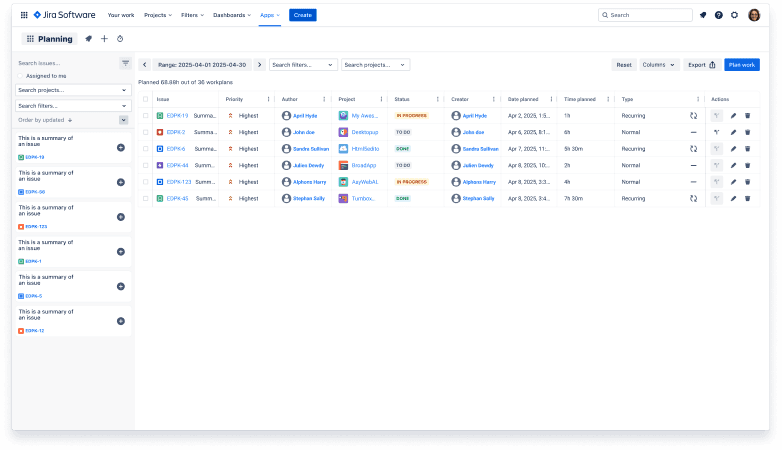
This tight Jira integration makes sprint planning, capacity checks, and time tracking part of the same flow, which boosts delivery efficiency.
4. Use reports to drive actual decisions, not just exports
Good data is only useful if you act on it.
With Reports you can slice logged time by project, assignee, sprint, or work attribute. That lets you:
- Spot where estimates are consistently off
- Compare billable hours across clients
- See which projects consume the most support time
Because everything comes from Jira-based worklogs, you don’t waste time reconciling systems. You go straight to efficiency tips that matter: change estimation patterns, rebalance workloads, or adjust pricing.
If you want to trial this setup, Timesheet Tracking for Jira offers a 30‑day free trial, so you can test the impact on your own team’s productivity before committing.
Ready to track time in Jira?
Start your free 30-day trial of Timesheet Tracking on the Atlassian Marketplace.