The Ultimate Jira Time Tracking Showdown: Clockwork (Lite & Pro) vs. Timesheet Tracking for Jira by Cappsule
Effective time tracking in Jira is the backbone of accurate billing, team capacity planning, and project health. But with so many apps on the Atlassian Marketplace, choosing the right one can be overwhelming.
Timesheet Tracking for Jira
📌 Key Takeaways
- Clockwork Lite is a starter tool: With a strict 300-timer monthly limit and no financial or advanced tracking, it is easily outgrown by scaling agile teams.
- Clockwork Pro covers the basics: It upgrades you to unlimited timers and basic billing, but remains a traditional, manual time-tracking tool.
- Timesheet Tracking for Jira is a next-gen upgrade: It combines configuration flexibility per project, out-of-the-box calendar integrations, and visual project timelines to transform raw data into actionable insights.
- Beyond the stopwatch: Cappsule's unique "Issue Context" provides top-down visibility across your entire Jira hierarchy, making it a powerhouse for capacity and resource planning.
Effective time tracking in Jira is the backbone of accurate billing, team capacity planning, and project health. But with so many apps on the Atlassian Marketplace, choosing the right one can be overwhelming.
If you are exploring time-tracking solutions, you have likely come across Clockwork (available in Lite and Pro versions) and **Timesheet Tracking for Jira by Cappsule**.
In this article, we'll break down the differences between Clockwork Lite and Clockwork Pro based on their official documentation, and reveal why Timesheet Tracking for Jira by Cappsule is rapidly becoming the go-to upgrade for teams that want to transform raw time data into actionable business insights.
The Baseline: Clockwork Lite vs. Clockwork Pro
According to HeroCoders' official documentation, Clockwork is split into a heavily restricted "Lite" version and a paid "Pro" version. Here is how they stack up against each other:
1. Clockwork Lite: Strictly for the Basics
Clockwork Lite is designed for small teams with minimal needs. However, it comes with severe limitations that most growing agile teams will outgrow almost immediately:
- Capped Usage: You are strictly limited to just 300 automatic timers per month.
- Basic Reporting: You cannot save timesheets as dynamic reports, nor can you filter by custom fields, teams, or internal activities.
- No Calendar Integrations: You cannot convert Google or Outlook calendar events into worklogs.
- Zero Financials: No tracking of billable hours, costs, revenue, or billing periods.
- Missing Team Management: You cannot log work on behalf of others (like a Scrum Master logging for a dev), nor can you define holiday schemes or user-level working hours.
2. Clockwork Pro: The Paid Upgrade
Clockwork Pro unlocks the features missing in the Lite version. It removes the timer limit, adds Google/Outlook calendar integrations, and enables cost/rate tracking. It also allows you to save dynamic timesheet reports, configure working hours globally or per user, and use Dashboard gadgets.
The Verdict on Clockwork: While Clockwork Pro is a solid step up from Lite, its feature set remains largely traditional. It functions well as a digital stopwatch and basic reporting tool, but it lacks the next-generation visual planning that modern enterprises demand and the flexibility of configurations per project, issue types and so on..
Enter Timesheet Tracking for Jira: Why Teams Are Making the Switch
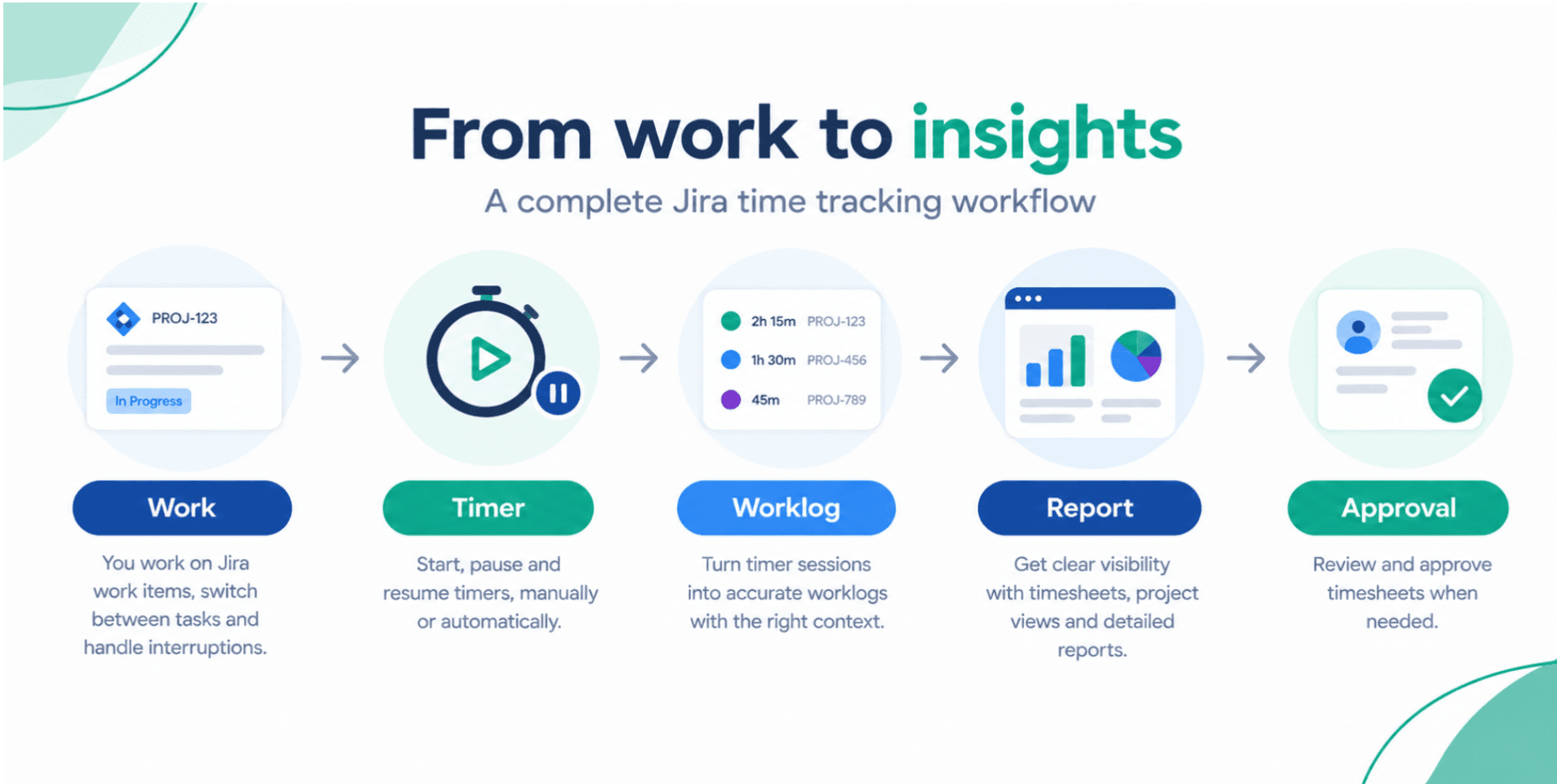
While Clockwork Pro gives you the standard time-tracking toolkit, Timesheet Tracking for Jira takes an entirely different approach. It doesn't just track time; it merges work planning, logging, advanced visual reporting at the highest and lowest levels into a single, powerhouse application.
Here is why teams are choosing it to elevate their Jira instances:
1. Multi-Mode Tracking
Timesheet Tracking for Jira understands that end users and managers work differently. Instead of relying purely on standard timers, Cappsule offers an Advanced Automatic Timer that can be paused, resumed, and automatically split into several worklogs at the end of the day. Furthermore, users can log time via Agenda, Kanban, and Timesheet modes or directly into the work item, offering several ways to fit all organization's needs.
2. Deep Calendar Integrations (Out of the Box)
Unlike Clockwork Lite, which blocks calendar integrations entirely, Timesheet Tracking for Jira offers seamless, built-in synchronization with Google and Outlook Events. You can convert your meetings directly into logged Jira work with a single click, ensuring your timesheets are perfectly aligned with your actual daily agenda.
3. "Issue Context" & Hierarchy Summaries
One of Timesheet Tracking for Jira most unique advantages is its Issue Context feature. It summarizes work logs and planned time across your entire Jira hierarchy: from massive Initiatives and Epics all the way down to child issues and sub-tasks. You get a true top-down view of where your budget and hours are going, a feature that standard time trackers struggle to visualize cleanly.
4. Dynamic Visuals & Timeline Planning
Data is useless if it's hard to read. Timesheet Tracking for Jira transforms raw worklog data into dynamic, visual charts and project timelines. You can visualize your entire project or team timeline at a glance with real-time updates. It also includes the ability to schedule work planning, effectively combining a resource-planning tool with a time-tracking tool.
5. Enterprise-Grade Scale & Security
Cappsule is built natively for Jira's UI, meaning it scales effortlessly to handle vastly more data than its competitors without slowing down your instance. It is also an Atlassian Cloud Fortified app and boasts a SOC2 Trust Center certification, guaranteeing top-tier enterprise security.
Feature Comparison at a Glance
| Feature | Clockwork Lite | Clockwork Pro | Timesheet-tracking by Cappsule |
|---|---|---|---|
| Unlimited Timers | ❌ (Max 300/mo) | ✅ | ✅ (Advanced automatic Timers with pause/resume) |
| Google/Outlook Calendar Sync | ❌ | ✅ | ✅ (Fully integrated Agenda & Kanban modes) |
| Save Dynamic Reports & Charts | ❌ | ✅ | ✅ (Dynamic, interactive visual charts) |
| Cost, Revenue & Billing Tracking | ❌ | ✅ | ✅ (Advanced cross-field billing reports customizable per project) |
| Visual Project Timelines | ❌ | ❌ | ✅ (Real-time project & team timelines) |
| Future Work/Capacity Planning | ❌ | ❌ | ✅ (Schedule work planning directly in app) |
| Hierarchy Roll-up (Epic/Initiative) | ❌ | ⚠️ (Basic) | ✅ ("Issue Context" across entire hierarchy) |
Conclusion: Don't Settle for Just a Stopwatch
If you are a tiny team with virtually zero budget and only need to track a handful of issues a month, Clockwork Lite might temporarily suffice. Clockwork Pro will certainly fill in the gaps for basic timesheets and billing.
However, if you want to transform your work data into actionable decisions, streamline your team's workflow, and gain unprecedented visibility into project timelines, Timesheet Tracking for Jira by Cappsule is the clear winner.
By combining flexible time logging and planning options, intuitive calendar syncs, advanced hierarchical reporting and advanced automatic/manual timers, Cappsule's app goes beyond merely tracking time, it helps you master it.
👉 Ready to revolutionize your time management? Check out Timesheet-tracking for Jira by Cappsule on the Atlassian Marketplace today.
Ready to track time in Jira?
Start your free 30-day trial of Timesheet Tracking on the Atlassian Marketplace.