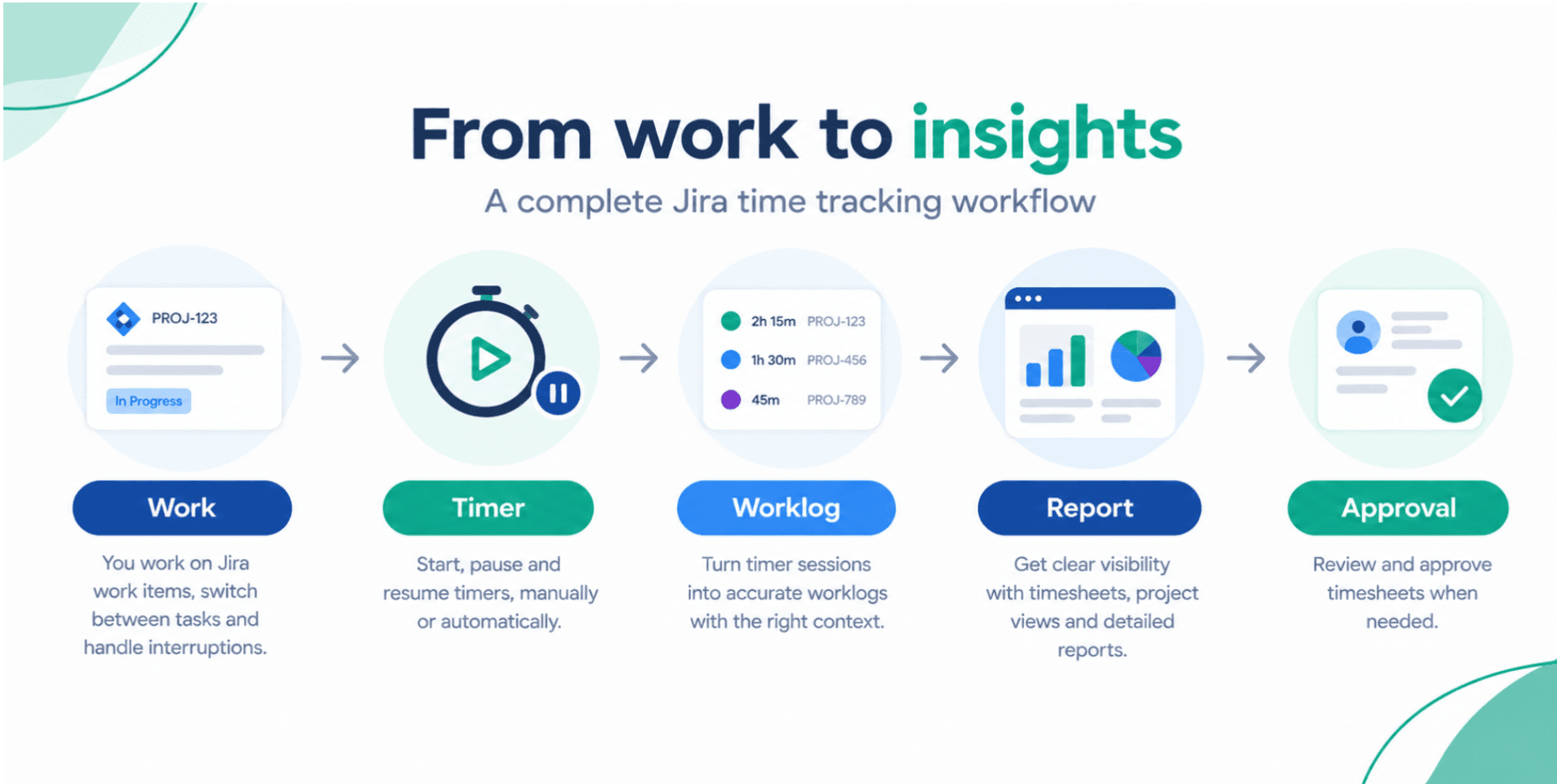
From Raw Worklogs to Real Insights: Time Reporting in Jira Done Right
Most teams log time in Jira but still struggle to turn it into useful insights. This practical guide shows how to design a simple, powerful time reporting setup using Jira tools to support better planning, billing, and team performance.
Timesheet Tracking for Jira

Many teams use Jira worklogs but still can’t confidently answer basic questions:
- How much time did we spend on this client last month?
- Which projects are over budget?
- Who is overloaded, and who has capacity?
The missing link is usually not the data itself, but how time reporting tools in Jira are configured and used.
1. Start with the Questions You Need to Answer
Before configuring any app, define the core questions your reports must answer.
For project managers and team leads, these usually include:
- Project efficiency: Are we delivering within estimated time?
- Billing: How many billable hours should we invoice per client?
- Team load: Who is close to capacity? Who can take on more work?
- Process issues: Where do we consistently underestimate work?
Write these down first. They will drive how you use Jira tools.
2. Designing a Simple Time Tracking Model in Jira
To keep reporting simple and reliable, avoid over‑engineering.
2.1 Standardize Worklog Practices
Create a short time logging guideline for the team:
- Log time daily (or at least by end of day)
- Always log time on the correct Jira issue
- Use a clear work description (e.g., "API integration", "Testing checkout flow")
- Respect minimum time units (e.g., 15 minutes)
Good worklog description examples:
- Implemented user profile edit form
- Investigated and fixed login timeout bug
- Sprint review + retrospective (team A)
2.2 Categorize Time for Better Reporting
Depending on your needs, use:
- Custom fields, labels, or issue types to mark client, cost center, or activity type
- A billable/non‑billable flag (via custom field or separate issue types)
These small structures make Jira time reporting tools dramatically more powerful.
3. Turn Logs into Views People Actually Use
Time reporting only works if both individuals and managers can understand and act on the data.
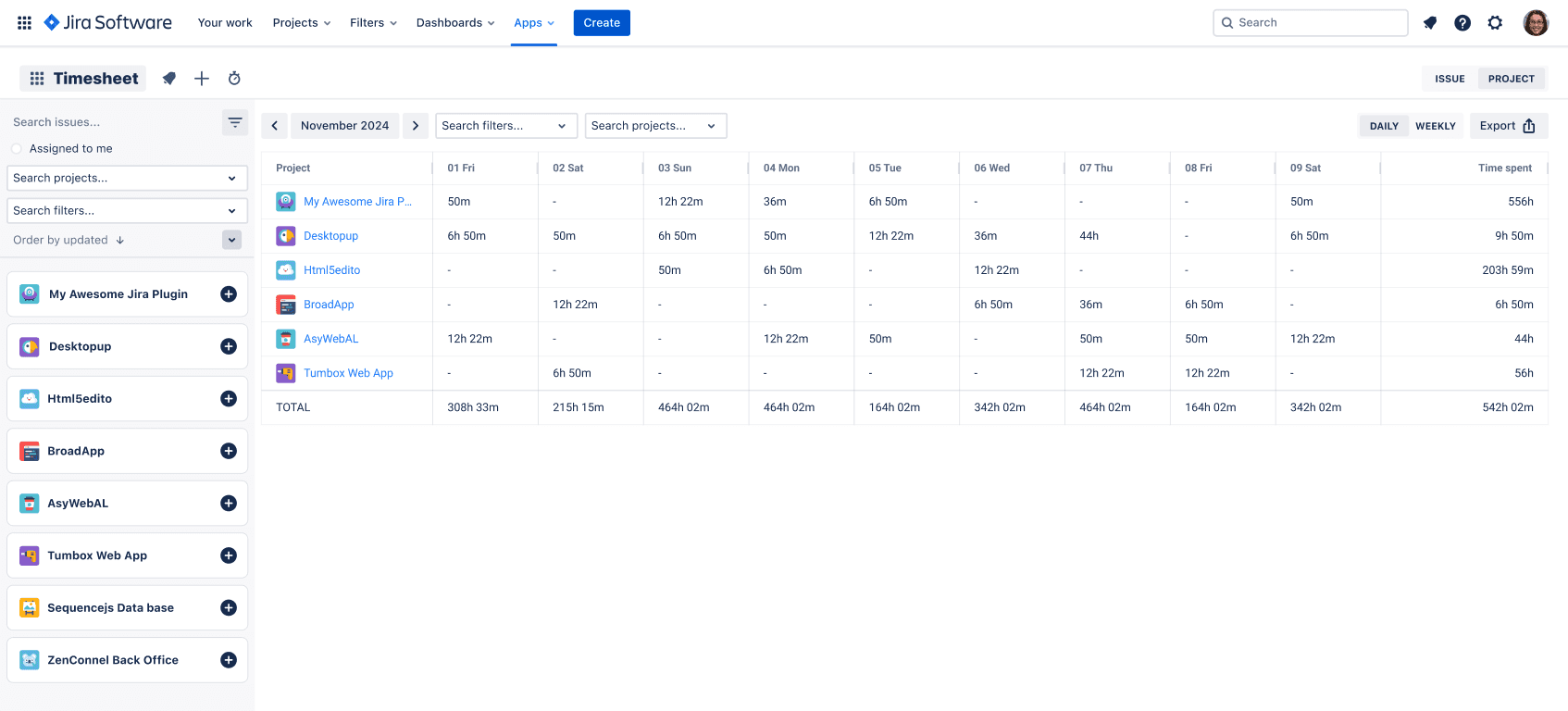
3.1 End‑User Timesheets for Daily Work
Developers, analysts, and designers need a fast way to:
- See what they logged this week
- Spot gaps or duplicates
- Quickly copy similar entries across days
This is where a dedicated timesheet view, like in Timesheet Tracking for Jira, is essential.
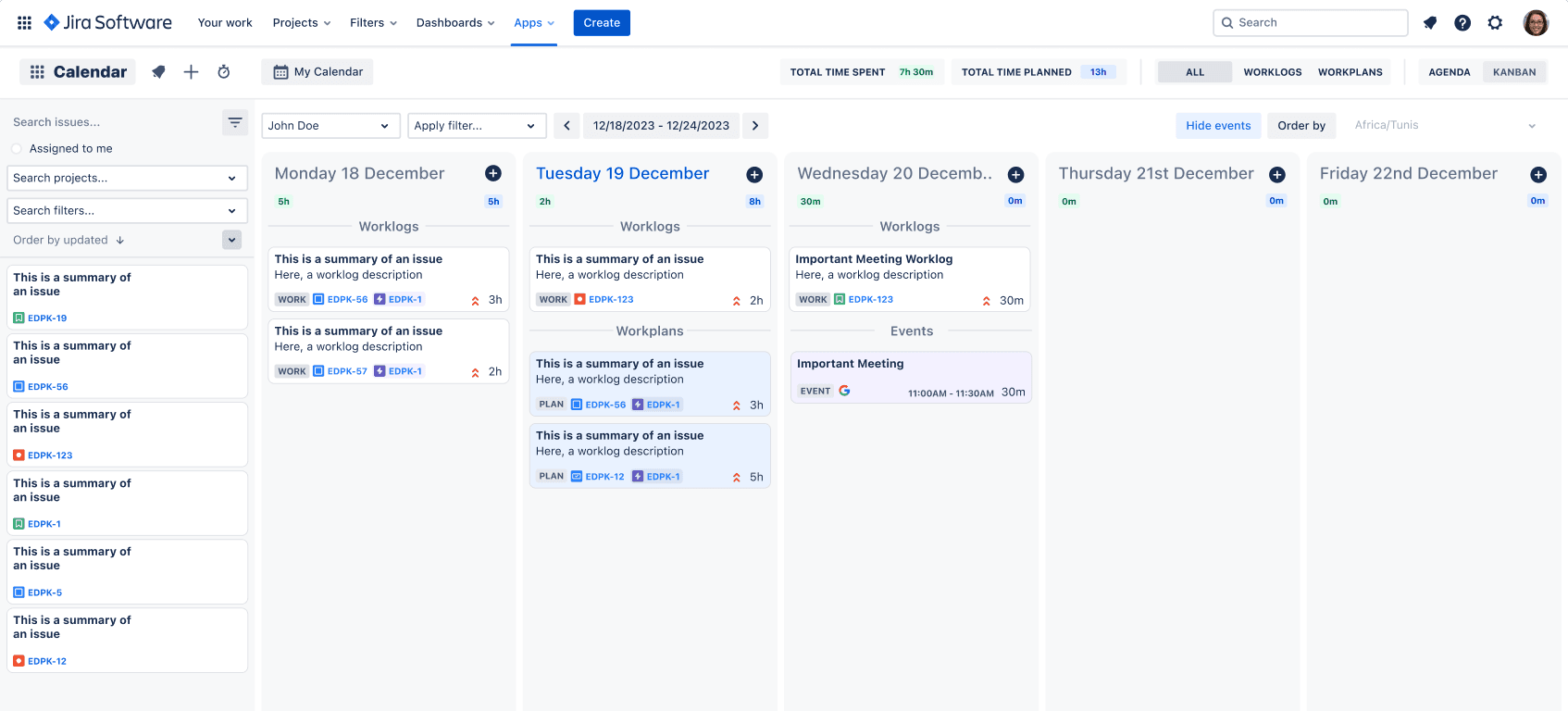
3.2 Calendar & Kanban Views for Real‑World Schedules
Time isn’t just coding. Meetings, workshops, and support all matter.
A strong Jira time reporting tool should:
- Pull events from Google or Outlook calendars
- Let you convert events into worklogs with one click
- Show a Kanban-style view of worklogs and planned work
This is especially useful for:
- Team leads coordinating cross‑team meetings
- Support teams managing high volumes of small tasks
- Consultants with lots of client calls
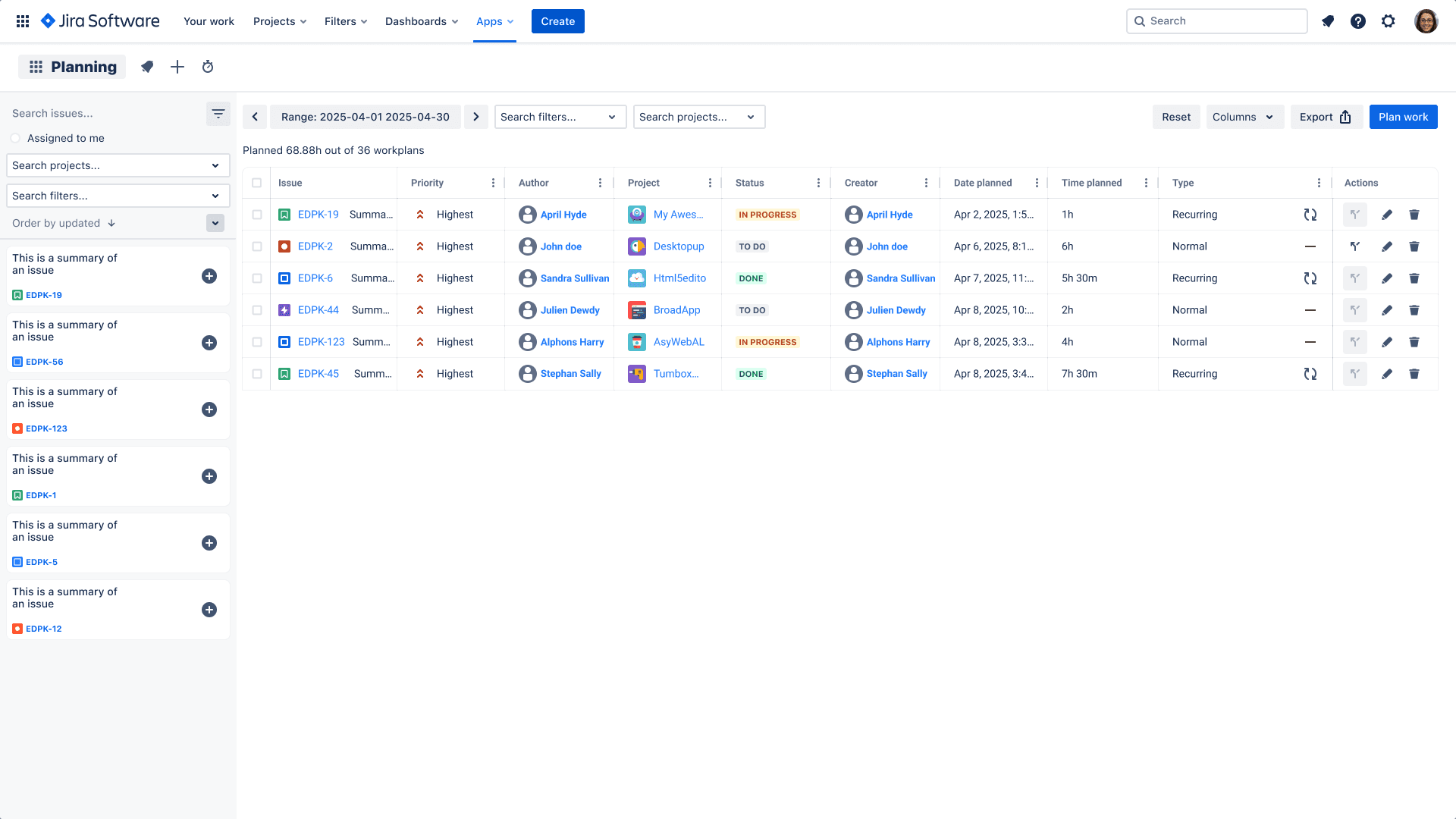
3.3 Planning View: Connect Future Work with Capacity
To improve project efficiency, you need to connect three things:
- What’s already logged (actuals)
- What’s planned (future work)
- How much capacity each person has
A planning view in tools like Timesheet Tracking for Jira lets you:
- Drag and drop upcoming work across the week
- Avoid overloading a single team member
- Ensure critical tasks are covered before the sprint starts
4. Key Reports That Drive Better Decisions
Once your views are in place, focus on a small set of high‑impact reports.
4.1 Project & Client Time Reports
Use Jira time reporting tools to answer:
- How many hours did we spend per project this period?
- How does that split by billable vs. non‑billable?
- Are we tracking scope creep via extra time on certain epics?
These reports feed directly into invoicing and budget tracking.
4.2 Team Performance and Utilization
At a glance, you should see:
- Hours per person per week
- Overtime trends
- Overloaded vs. under‑utilized roles
Combined with planning, this supports better resource planning and reduces burnout.
4.3 Estimate vs. Actual Analysis
Use issue and epic reports to compare:
- Original estimate vs. time spent
- Patterns by issue type (bugs vs. features)
- Teams or domains where estimation needs improvement
Over time, this dramatically improves forecast accuracy.
5. Don’t Ignore Policies, Licensing, and Compliance
Time reporting touches sensitive areas: payroll, billing, and client contracts. Make sure you:
- Define clear policies for logging and approving time
- Communicate how data is used (especially for performance reviews)
- Understand your app’s license terms and data handling
For example, the Timesheet Tracking for Jira EULA clarifies usage rights, responsibilities, and limitations. Share it with Jira admins and legal/finance so everyone understands the framework you’re operating in.
6. A Simple Rollout Plan for Your Team
Keep adoption lightweight:
- Choose and configure your Jira time reporting tool
- Define a one‑page time logging guide for the team
- Run a 15‑minute demo of the timesheet, calendar, and planning views
- Start with weekly report reviews (project, client, and team views)
- Adjust categories and reports based on real usage
With a clear model, friendly views, and focused reports, you turn raw Jira worklogs into the insights you need to run projects more efficiently and bill with confidence.
Ready to track time in Jira?
Start your free 30-day trial of Timesheet Tracking on the Atlassian Marketplace.