What Is Workforce Intelligence? A Practical Guide For Engineering Leaders In The Age Of AI
AI is changing how software teams work, but most of that activity never touches Jira. Workforce intelligence connects time tracking, work logs, and delivery data so you can finally answer: is AI actually improving engineering output?
Timesheet Tracking for Jira

AI is quietly reshaping your engineering team’s workflow, but if that AI activity never shows up in Jira, your delivery data lies to you.
Workforce intelligence is the missing layer: combining time, work context, and outcomes so you can see how people actually work, not just what issues moved columns.
Workforce intelligence, in plain English
For software teams, workforce intelligence answers three questions:
- Where is time going? (by epic, feature, customer, or initiative)
- What’s the output? (throughput, lead time, defects, value delivered)
- What’s changing over time? (new tools like AI, process tweaks, org changes)
To do this well, you need three connected data sets:
- Time tracking with enough detail to be trusted, not hated
- Jira work context (issue types, epics, components, custom fields)
- Reporting that ties time and work to outcomes, not just hours
That’s exactly where a focused Jira add-on like Timesheet Tracking for Jira fits.
The AI blind spot: why your ROI story breaks
Most AI work today:
- Happens in local IDEs, terminals, and ChatGPT tabs
- Produces code and decisions that never get logged as separate Jira issues
- Shortens tasks so much that traditional estimates look “wrong”
So when finance or the CTO asks, _“Is AI helping?”_, your Jira reports can’t answer. You see cycle times move a bit, maybe, but nothing that cleanly ties AI usage to delivery.
The result: AI looks like a line item in the budget, not a measurable productivity shift.
Turning time tracking into workforce intelligence
You already have the raw material: engineers, Jira issues, and a timesheet app. Workforce intelligence is about tightening that loop.
Here’s a simple pattern using Timesheet Tracking for Jira:
- Define work attributes for AI : Create custom work attributes like
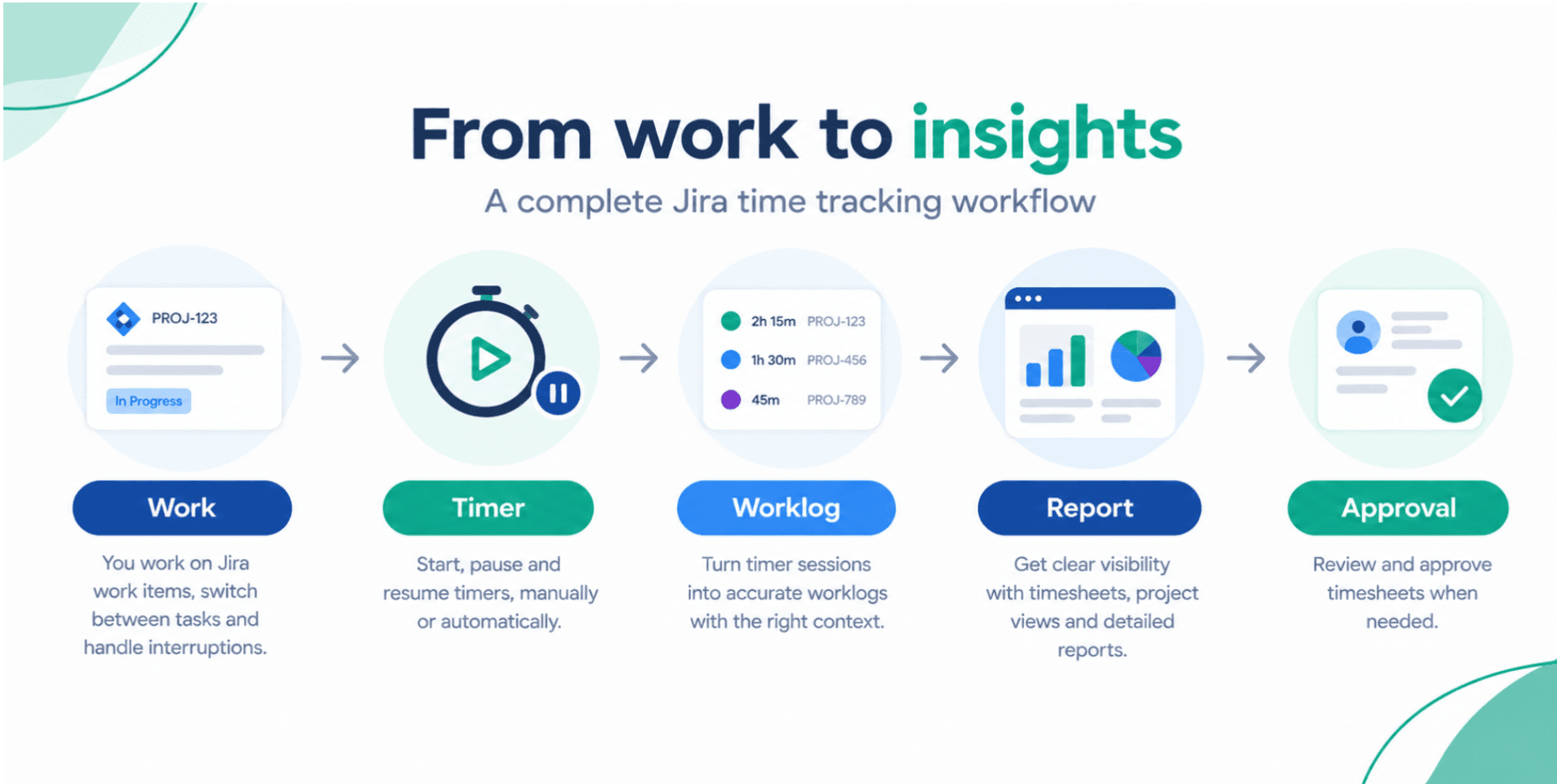
AI-assisted,Manual,Prompting, orReviewing AI output. - Make logging trivial : Use the in-issue timer so engineers just hit Start/Stop and pick an attribute.
- Align with your calendar : Sync calendars via the Calendar view so meetings, focus blocks, and AI spikes are visible beside Jira work.
- Report on AI vs non-AI delivery : Use Reports to compare throughput, cost, and lead time between
AI-assistedandManualwork.
Now you’re not guessing about AI ROI. You can say, for example: _“AI-assisted stories in the Payments epic ship 22% faster with no increase in defects.”_
What good workforce intelligence looks like in Jira
For an engineering leader, strong workforce intelligence inside Jira usually means:
- A timesheet view grouped by epic, sprint, or customer that people actually use
- Filters that answer questions like: “Where did senior engineer time go this quarter?”
- Timeline and calendar views that reveal overload, not just missed estimates (Timeline helps here)
- Reports you can drop straight into a QBR deck without babysitting spreadsheets
How to start, without a reorg or a committee
If this feels big, start tiny:
- Pick one team and one AI-heavy initiative.
- Add a single work attribute:
AI-assisted. - Ask the team to use the timer and tag AI work for one sprint.
- Run a basic time vs throughput report.
You’ll have a first, defensible view of AI ROI, grounded in Jira data and timesheets, not gut feel.
And once you can measure it, you can actually manage it.
Ready to track time in Jira?
Start your free 30-day trial of Timesheet Tracking on the Atlassian Marketplace.