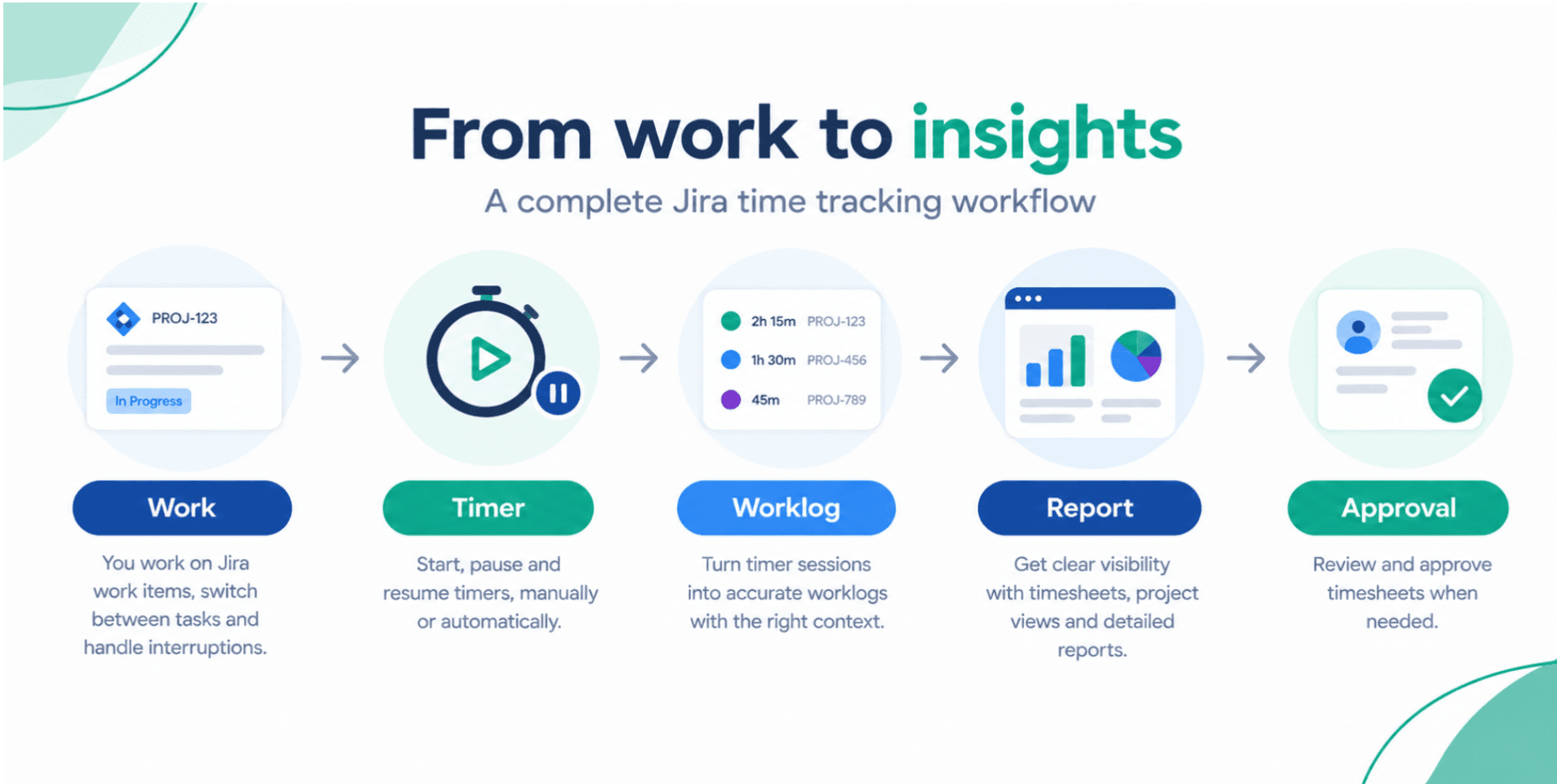
From Worklogs to Insight: Key Timesheet Tracking for Jira Features for Data-Driven Teams
If your Jira worklogs are accurate but hard to use, you are leaving value on the table. Learn how Timesheet Tracking for Jira turns raw time entries into reliable insights for billing, forecasting, and performance analysis.
Timesheet Tracking for Jira

Most teams already log time in Jira but turning those worklogs into trusted numbers for billing, forecasting, and management reporting is where things often fall apart.
Timesheet Tracking for Jira is designed to bridge that gap. Below we look at key features that help data-driven teams go from scattered worklogs to reliable insights, while staying fully inside Jira.
1. Centralized Timesheet Hub for All Teams
Instead of each project or team using its own spreadsheet or custom report, Timesheet Tracking for Jira provides a single, centralized timesheet hub:
- Aggregate worklogs across projects, boards, and teams
- Apply Jira filters (JQL) to define exactly what is included
- Configure different views for engineering, support, consulting, or product teams
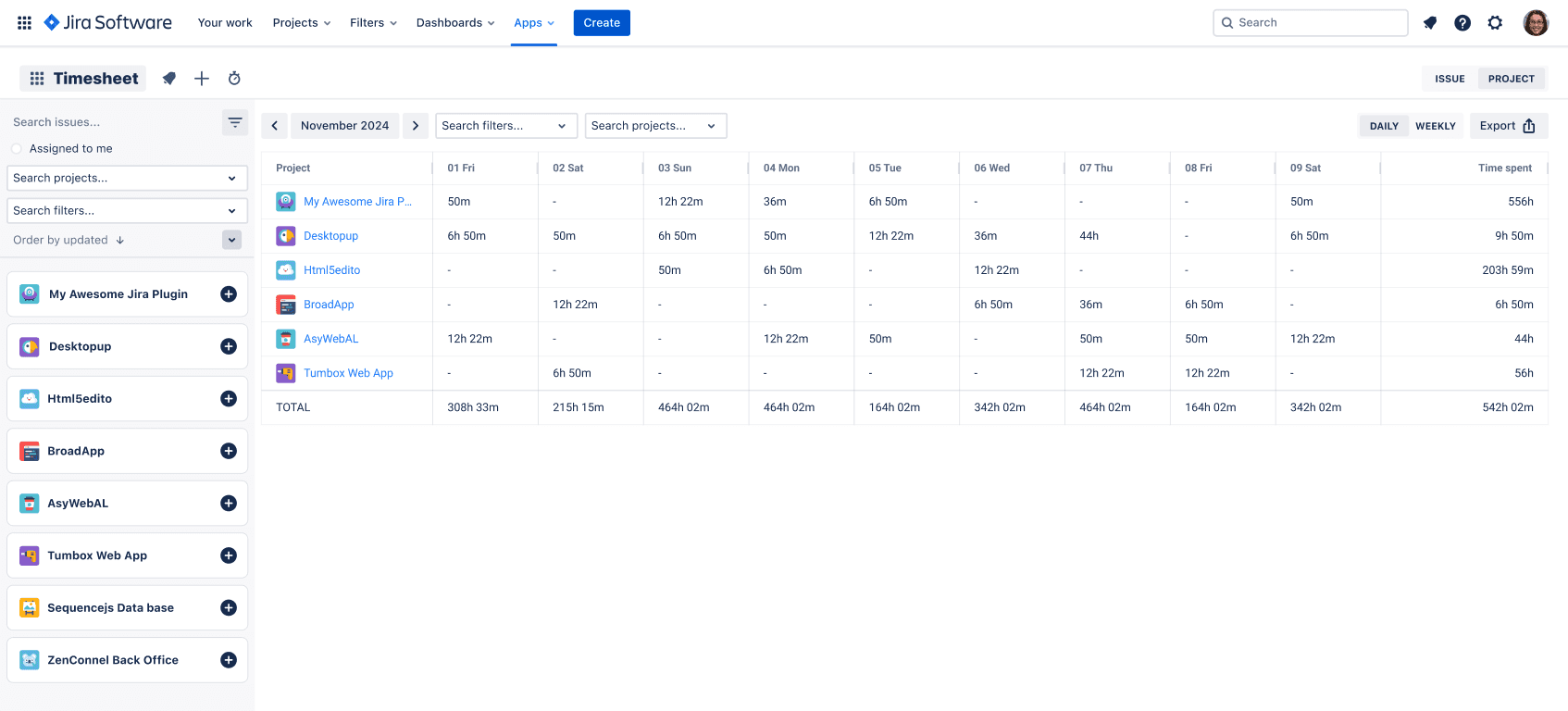
This drastically reduces reporting fragmentation and keeps everyone working off the same data set.
2. Powerful Time Analytics With Jira Field Grouping
One of the strongest features of Timesheet Tracking for Jira is its ability to group and analyze time along any Jira dimension that matters to your business.
Examples:
- Group by Project → Epic → Assignee to understand where complex initiatives consume effort
- Group by Issue Type to compare feature work vs maintenance vs support
- Group by Client label to see billable time per customer
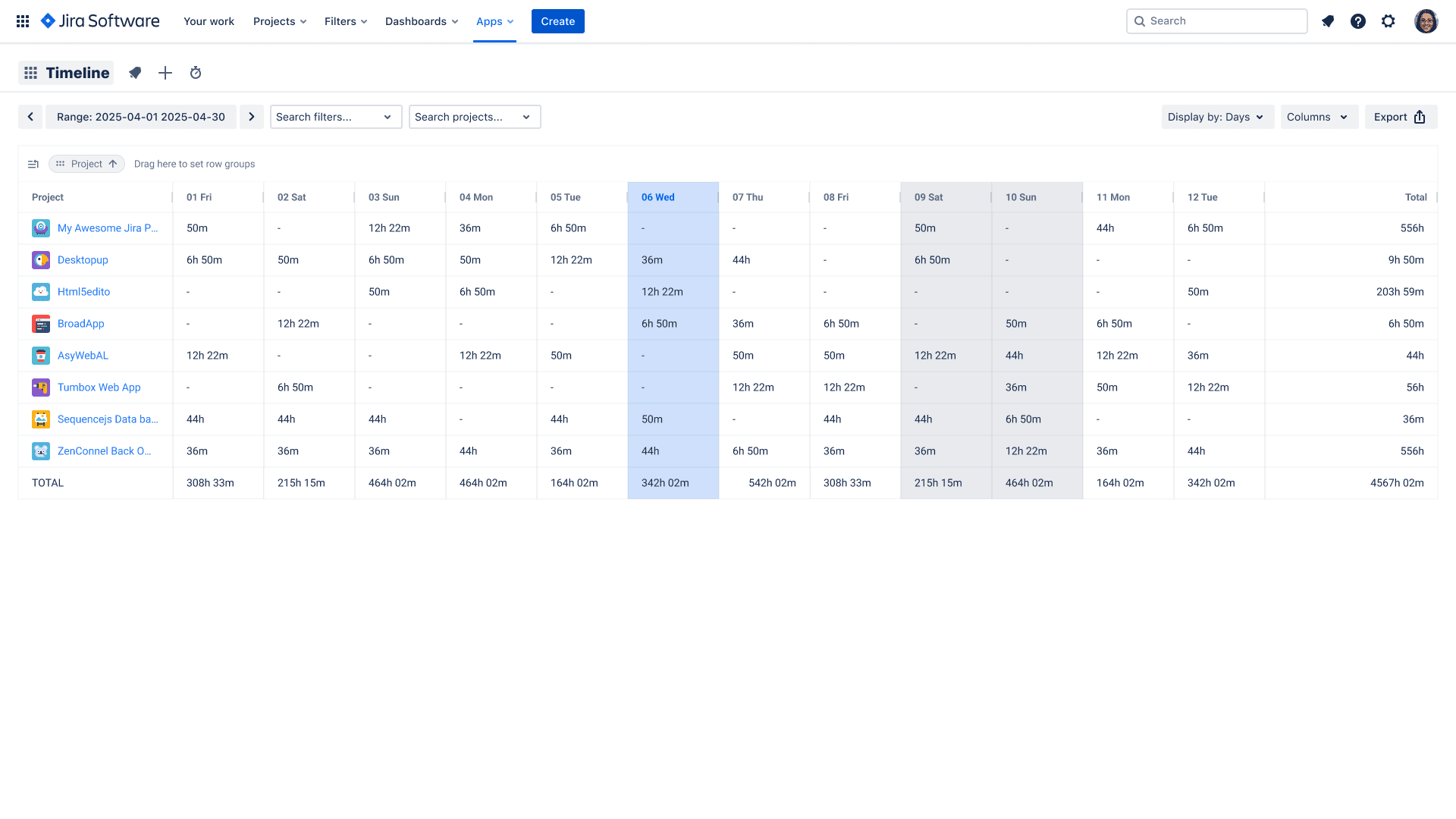
For teams that already curate Jira fields thoughtfully, this unlocks powerful cost and effort analysis without leaving Jira.
Sample grouping: Client profitability report

- Filter: project in (PROJ_A, PROJ_B) AND statusCategory != Done
- Group by: label (client)
- Subgroup by: assignee
- Period: This quarter
3. Planning View: Compare Planned vs Actual Effort
Forecasting and capacity management are only as good as your ability to compare what you planned with what actually happened.
Timesheet Tracking for Jira's planning view lets you:
- Schedule upcoming work per user or per team
- See load by day or week
- Align planned tasks with logged hours to spot deviations early
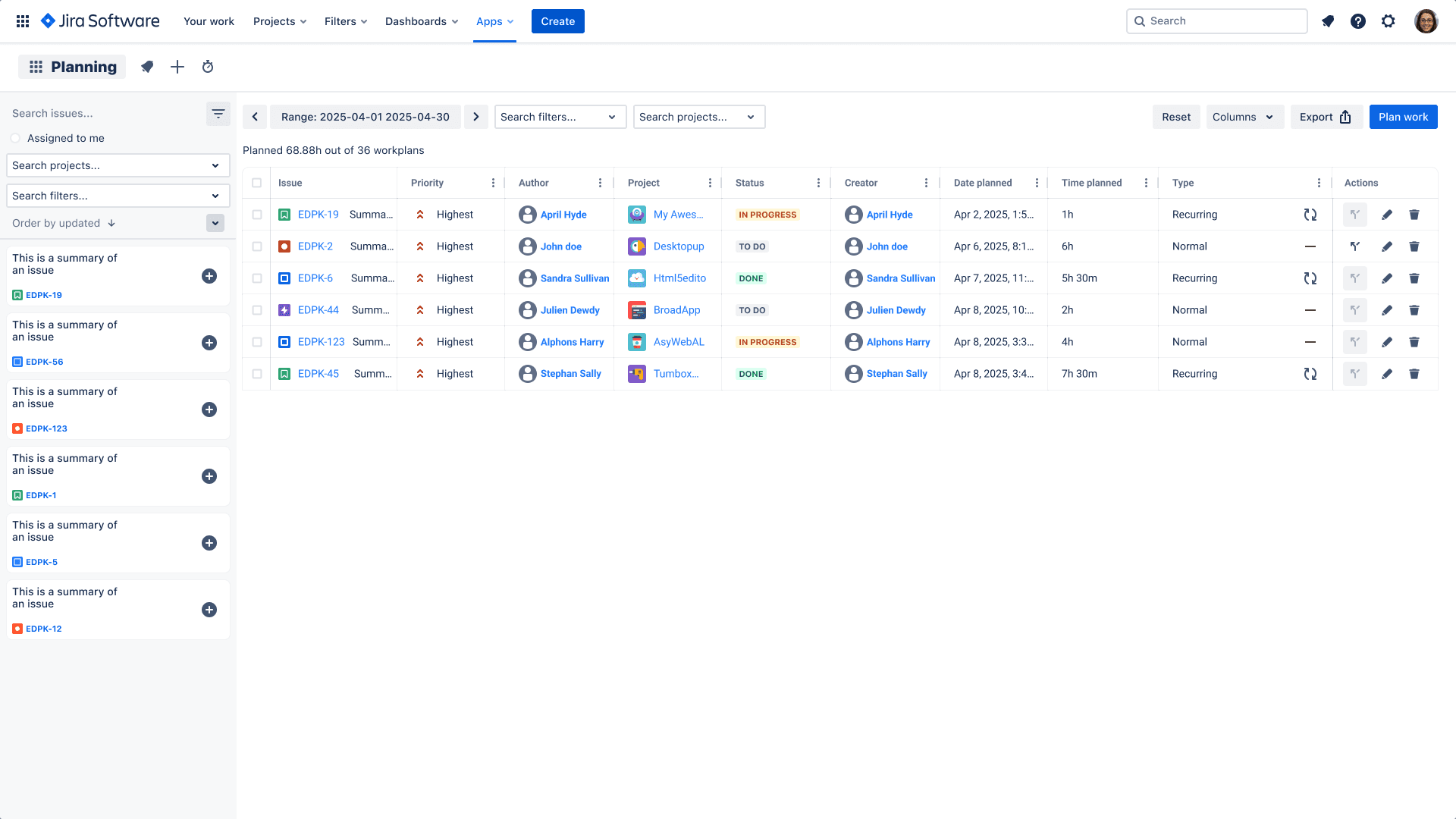
This is especially valuable for team leads and PMs who manage multiple projects in parallel and need a lightweight capacity planning layer on top of Jira.
4. Calendar & Kanban Time Capture for Real-World Work
Not all work starts as a Jira issue. Meetings, workshops, incident calls, and ad-hoc sessions often begin as calendar events.
Timesheet Tracking for Jira helps close this gap:
- Sync events from Google Calendar or Outlook
- View events and worklogs in a combined calendar or Kanban layout
- Convert events into Jira worklogs in seconds
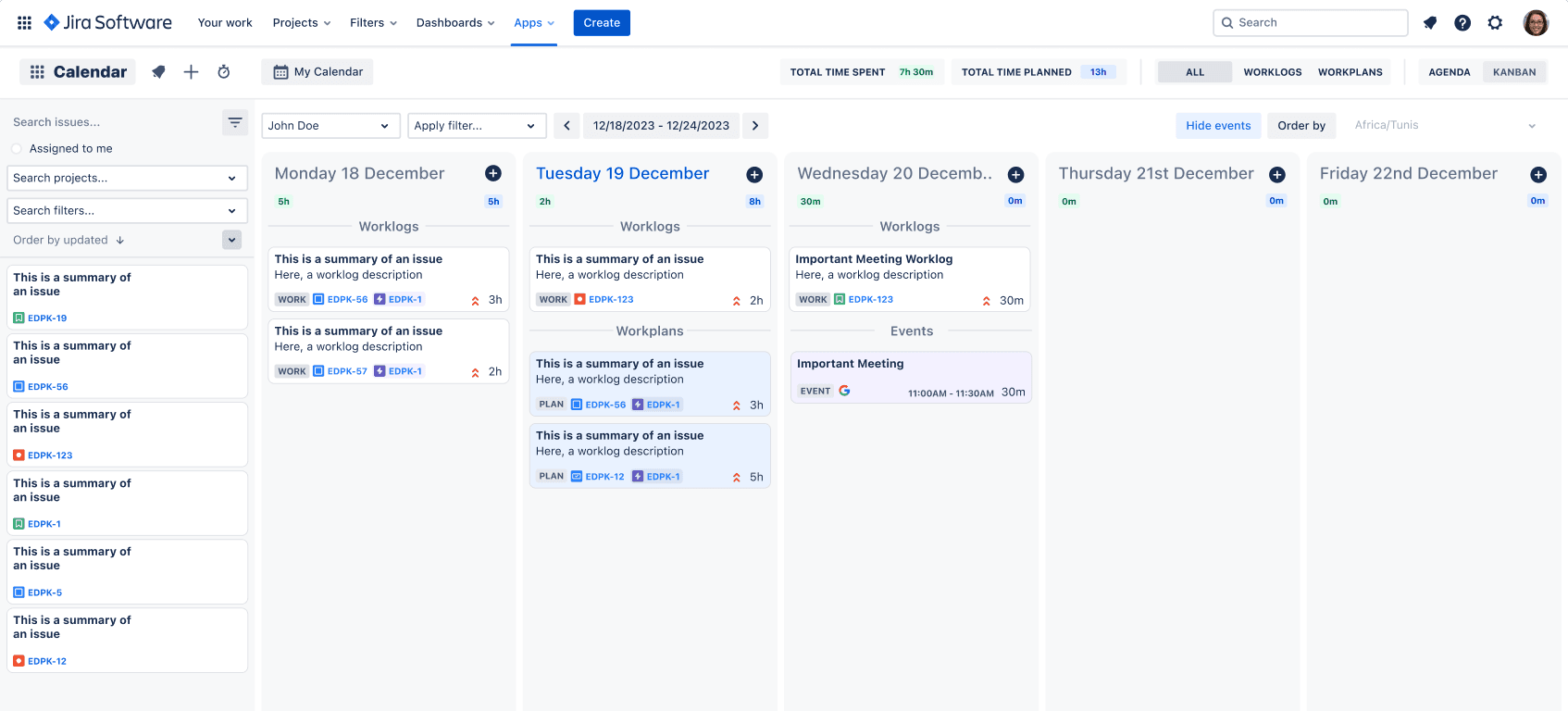
This ensures key billable meetings—or critical internal activities—are reflected in your time reports, without double data entry.
5. Billable, Non-Billable, and Cost Tracking Support
For services organizations and internal shared service teams, distinguishing billable vs non-billable time is essential.
Timesheet Tracking for Jira supports this with:
- Billable flags or custom fields on worklogs
- Flexible grouping by client, contract, or cost center
- Exportable reports for finance and invoicing workflows
Typical scenarios:
- Client invoicing by project and month
- Tracking internal R\&D vs client-funded work
- Understanding time spent on pre-sales vs delivery
Because everything is built on top of Jira data, there is no need to reconcile separate systems.
6. Enterprise-Grade Security: SOC 2 & Cloud Fortified
Time data often includes sensitive project details, client names, and financial information. That is why security and compliance are first-class concerns.
Timesheet Tracking for Jira is:
- SOC 2 certified, demonstrating rigorous controls over data security, availability, and confidentiality
- Atlassian Cloud Fortified, meeting Atlassian's highest standards for reliability, testing, and support
You can share additional details with your security and legal teams using the official website and its documentation, including the End User License Agreement.
7. Designed for Jira Power Users and Project Professionals
Timesheet Tracking for Jira is intentionally simple for end users—log time against an issue and you're done—while still giving advanced users the depth they need:
- JQL-based scoping of timesheets and reports
- Customizable views for PMs, team leads, and finance
- Support for multiple teams and complex Jira configurations
If your organization already relies on Jira as the primary project management system, Timesheet Tracking for Jira lets you keep it that way—no extra tools, no data silos, and minimal friction for users.
Next Steps: Evaluate Timesheet Tracking for Your Jira Instance
To explore the full feature set, implementation details, and pricing, visit:
- The official product site: timesheet-tracking.com
- The Atlassian Marketplace app page: Timesheet Tracking for Jira listing
Install it on a test project, connect your Jira data, and start transforming raw worklogs into actionable insights.
Ready to track time in Jira?
Start your free 30-day trial of Timesheet Tracking on the Atlassian Marketplace.