7 Standout Features That Make Timesheet Tracking for Jira Different
Timesheet Tracking for Jira goes far beyond basic worklogs. Discover seven unique features—from calendar-based logging to powerful reporting—that help software teams track time accurately, manage billable work, and keep Jira as the single source of truth.
Timesheet Tracking for Jira

Timesheet Tracking for Jira is more than "just another timesheet plugin." It is built specifically for project teams that live in Jira every day, need accurate billable hours, and require reliable reporting their finance, leadership, and clients can trust.
Below are seven of its most important and unique features, and how they solve common time tracking pain points for Jira-based teams.
1. True Jira Native Experience (With Cloud Fortified Reliability)
Plenty of tools say they "integrate" with Jira, but Timesheet Tracking for Jira is designed to feel like part of Jira itself:
- Works directly with Jira issues, projects, boards, and filters
- Respects Jira permissions and roles
- Follows Atlassian UX patterns and official design kit, so there is almost no learning curve
Because it is an Atlassian Cloud Fortified app, it also meets higher standards for security, reliability, and support. Combined with SOC 2 certification, this gives enterprise teams confidence that their time and billing data is protected.
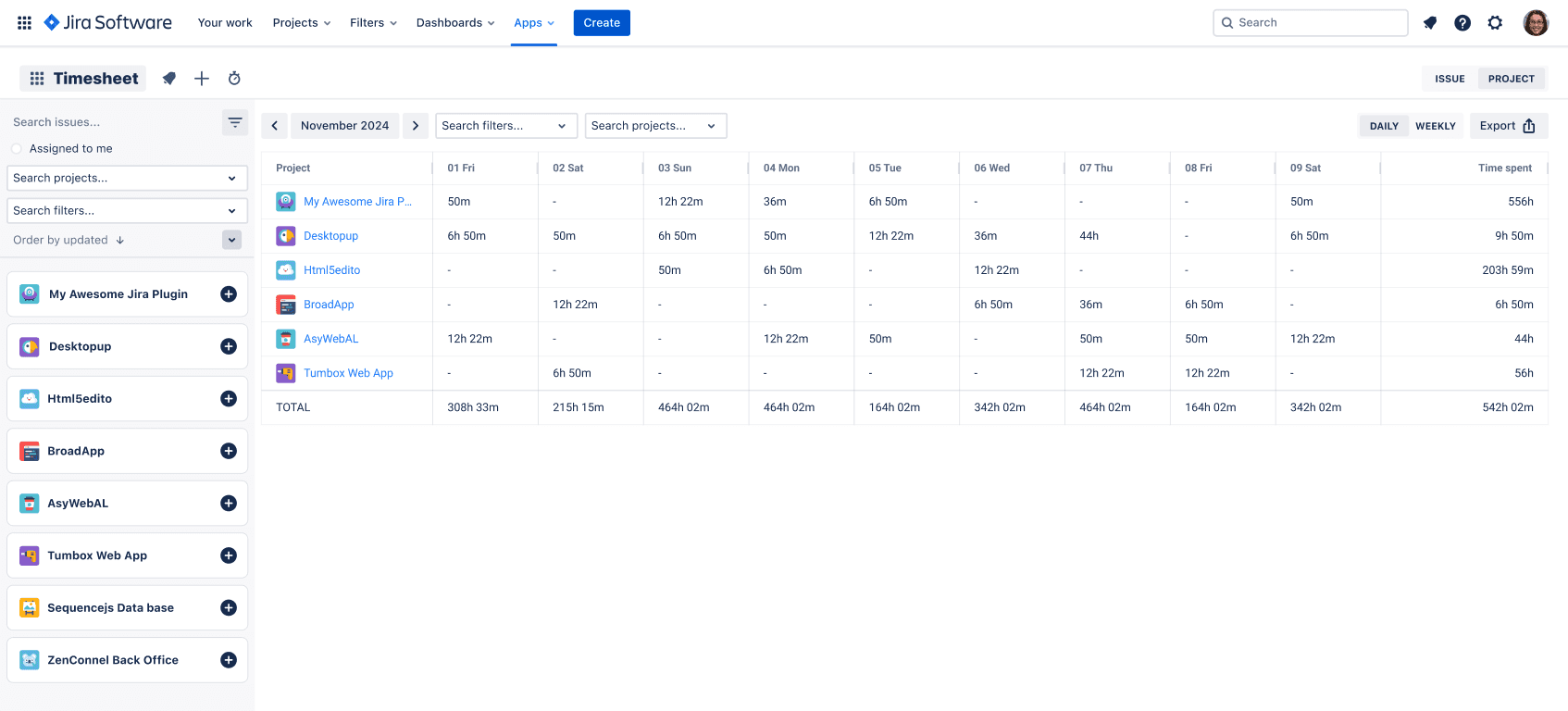
2. Flexible Timesheet Views for Every Role
Different stakeholders need different visibility:
- End Users: Want a simple view of what they logged this week
- Team leads: Need to see team capacity and under/over-utilization
- Project managers: Care about project-level burn and billable vs non-billable
Timesheet Tracking for Jira supports multiple configurable views:
- Classic timesheet grids by user, project, or issue
- Grouping by any Jira custom fields, components, or labels
- Time range presets (this week, last month, custom ranges)
You can build one report per stakeholder using the same underlying worklogs, with no data duplication.
Example configuration idea

- Group by: Project
- Subgroup by: Assignee
- Filter: label = client_x AND billable = true
- Period: Last month
3. Calendar & Kanban Views: Turn Events Into Worklogs
Switching between calendar tools and Jira is a classic context-switch tax. Timesheet Tracking for Jira helps eliminate that.
You can connect external calendars (Google, Outlook) and visualize events alongside existing worklogs and planned work. Events can be converted into worklogs in a couple of clicks, keeping Jira as the single source of truth.
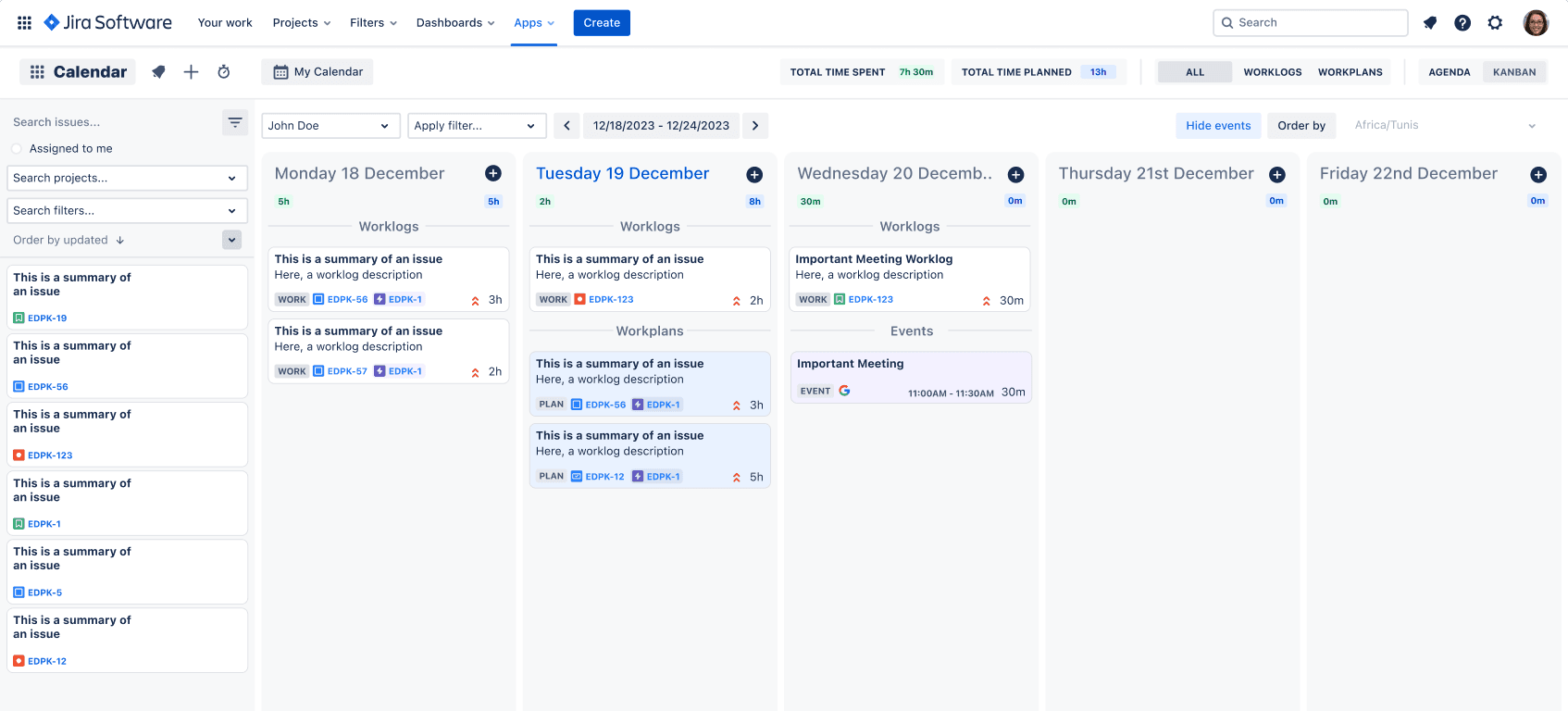
This is particularly useful for:
- Consulting and agency teams tracking billable meetings
- Product teams capturing workshops, refinement sessions, and demos
- Managers ensuring non-development activities are still accounted for
> Tip: Use labels or a custom "Billable" field on worklogs to distinguish internal vs client-facing time, then report on both.
4. Powerful Grouping, Filtering, and Reporting
Reporting is where many time tracking tools fall short. Timesheet Tracking for Jira lets you slice and dice worklogs by almost any Jira dimension, including:
- Project, component, or fix version
- Issue type (e.g., Story, Bug, Task, Support)
- Priority, labels, sprints, or custom fields
- User, team, or role
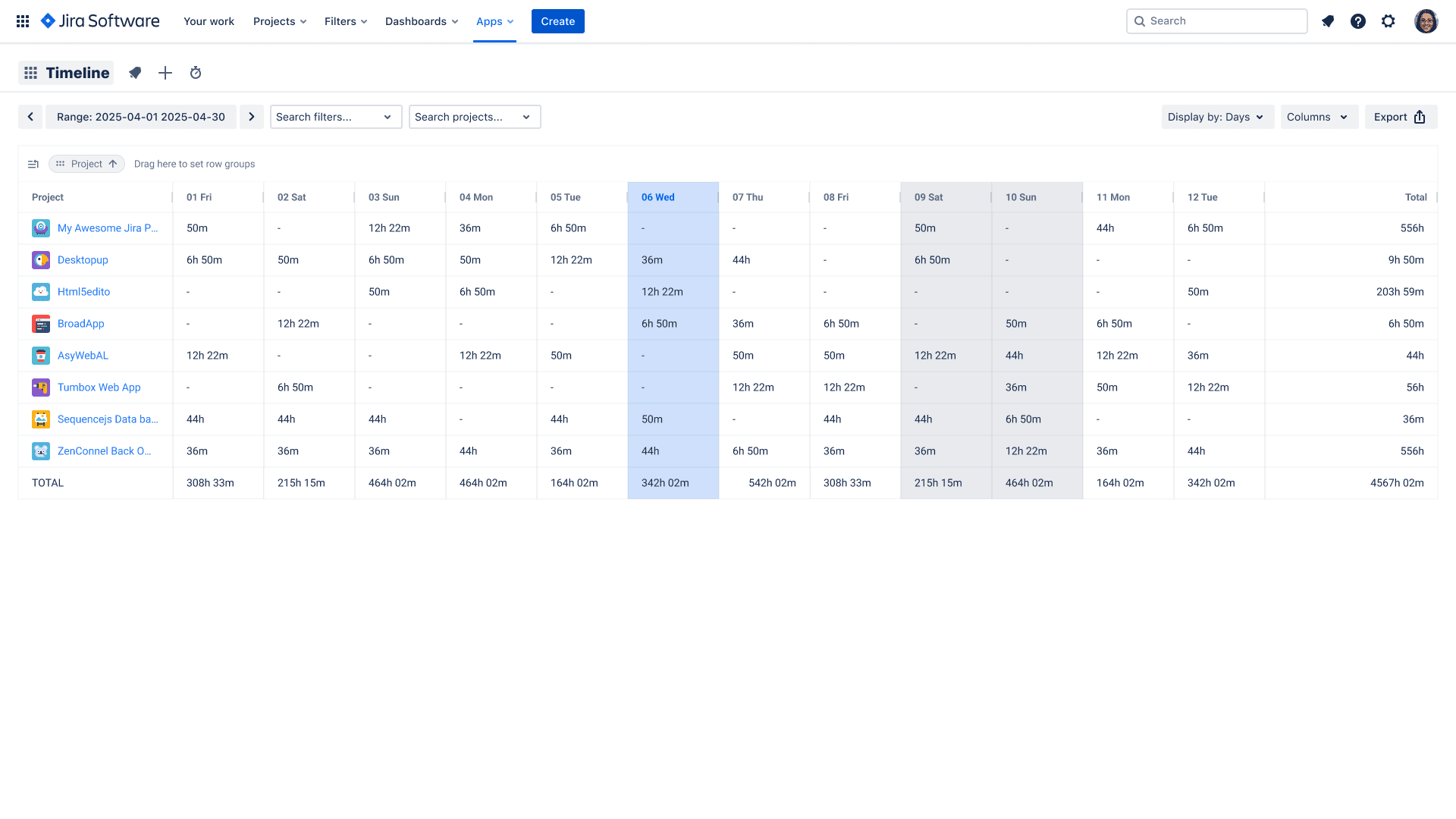
Typical use cases:
- Billing by contract: group by client label, break down by project
- Support vs feature work: split by issue type and compare hours
- Sprint analytics: filter by sprint and see where the time went
Reports can be exported for finance, shared with stakeholders, or used to refine planning and estimations.
5. Resource Planning and Capacity Management
Timesheet Tracking for Jira includes planning and scheduling capabilities so you can see future work and past worklogs in one place.
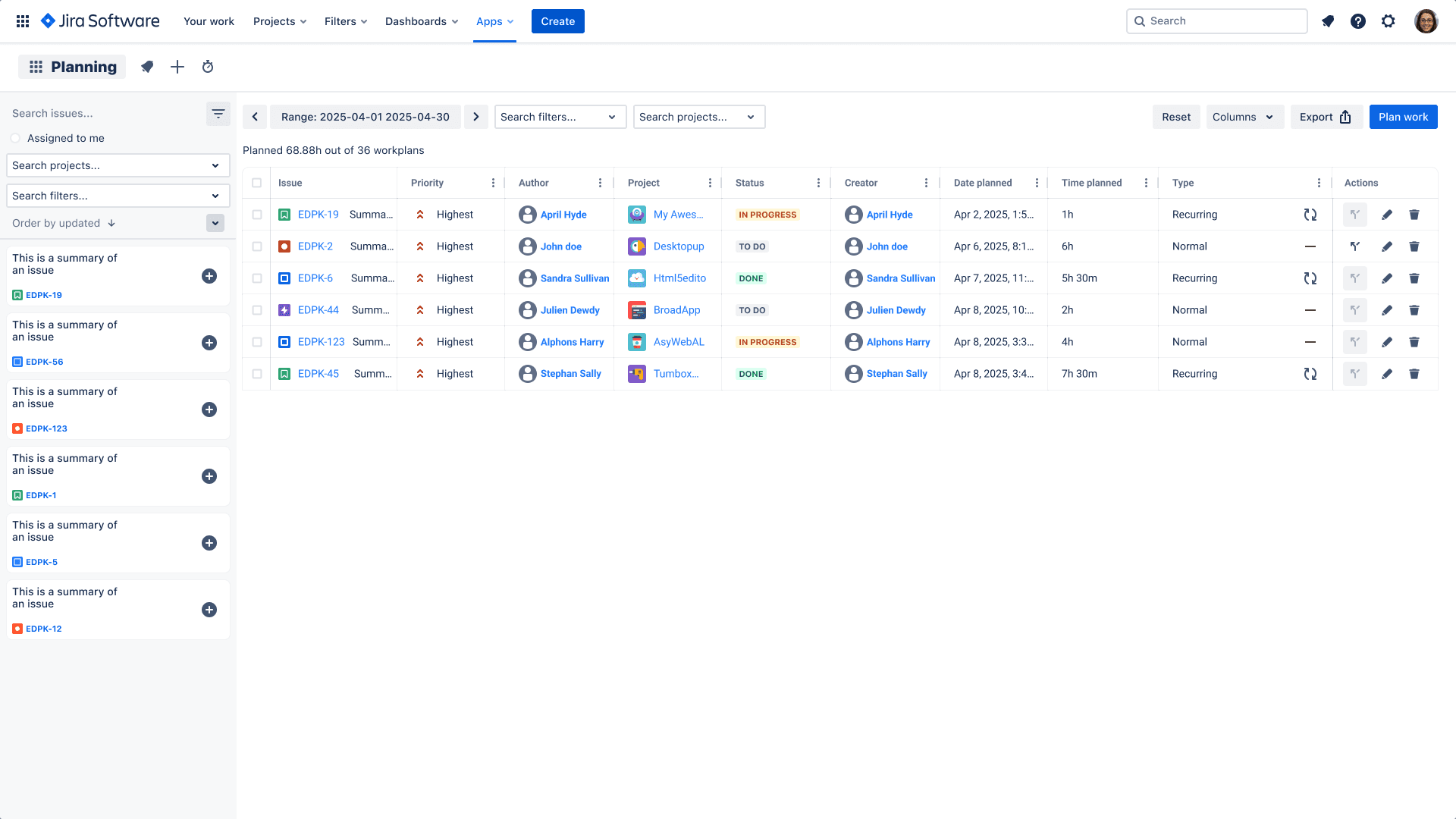
You can:
- Allocate work by user
- Visualize upcoming workload by day or week
- Balance capacity across parallel projects
This helps team leads and PMs prevent over-commitment and track whether actual worklogs are aligning with the plan.
6. Built-In Support for Billable vs Non-Billable Time
Agencies, consultancies, and internal service teams all share a challenge: not all hours are billable, but all hours matter.
With Timesheet Tracking for Jira you can:
- Tag worklogs as billable/non-billable
- Use custom fields or labels to mark billable categories
- Report on total billable hours per client, project, or contract
This makes it easier to:
- Generate accurate invoices
- Track profitability by client or initiative
- Justify headcount and capacity decisions
Billable settings can be tailored to each project, in contrast to Tempo Timesheets or Clockwork, which utilize a rigid standardized configuration over all the Jira instance.
7. Security, Compliance, and Governance (SOC 2 + EULA)
Time data is business-critical. Timesheet Tracking for Jira is SOC 2 certified and Cloud Fortified, meaning it meets strict standards for security, availability, and data handling.
Additional governance benefits:
- Clear End User License Agreement for legal and compliance teams
- Aligned with Atlassian security practices
- Trusted by thousands of teams for finance-relevant data including UBS, Nvidia, IBM, Cisco and more..
For more details about the product and security posture, you can explore the official website and the Atlassian Marketplace listing.
Where to Go Next
If you are already running Jira and need accurate time tracking, billing, and resource planning, Timesheet Tracking for Jira provides:
- Jira-native UX and deep integration
- Calendar-based time capture and planning
- Flexible reporting for PMs, finance, and leadership as well as for end-users.
Install it from the Atlassian Marketplace or learn more at timesheet-tracking.com.
Ready to track time in Jira?
Start your free 30-day trial of Timesheet Tracking on the Atlassian Marketplace.